 Life Dashboard
Is the Home Assistant companion app enough for Health Connect data?
For the latest value, yes. The Android companion app has 26 Health Connect sensors, each with the newest reading or today's total. It has no way to load older data, it files a value at the moment the sensor updates rather than on the day it belongs to, and it doesn't write into Health Connect. Life Dashboard reads 33 types and adds a backfill of up to a year on the right dates, scale and blood pressure readings written back, and screen time per app. The two run side by side.
Health ConnectLife Dashboard CompanionLife Dashboard integrationEvery day on its own date
What the companion app reads
As of October 2026, the latest release of the companion app for Android, 2026.8.4, has 26 Health Connect sensors. They cover 25 types; blood pressure is split into a systolic and a diastolic sensor.
| Kind of sensor | Sensors |
|---|---|
| Total since midnight (6) | Steps, distance, total calories, hydration, floors climbed, elevation gained |
| Newest reading (20) | Heart rate, resting heart rate, heart rate variability, sleep duration, weight, height, body fat, lean body mass, bone mass, body water mass, systolic and diastolic blood pressure, blood glucose, oxygen saturation, respiratory rate, body temperature, basal body temperature, basal metabolic rate, VO2 max, active calories |
- Android version. On Android 9 to 13 the sensors are in the Google Play build, with the Health Connect app installed. On Android 14 and newer, every build has them.
- Updates. Like all of the app's sensors, they update every 15 minutes. Sensor Update Frequency can make that every minute, always or while charging.
- Switching them on. The sensors are off by default. You enable each one under Manage Sensors, which also asks for its Health Connect permission.
Not covered as of October 2026: exercise sessions, sleep stages, nutrition, cycle tracking, mindfulness and skin temperature. The request for them is issue #4804, still open.
When the companion app is enough
- You want the latest weight, heart rate or last night's sleep in an automation or on a tile.
- You want today's steps, and a chart of the days since you switched the sensor on is fine.
- You already run the companion app for presence, notifications and device sensors, and don't want another app.
- You want floors climbed or elevation gained. Life Dashboard doesn't read those two types.
If that's all you need, stay with the companion app. Nothing below is required for it.
Where it stops: history
Home Assistant records a sensor's value at the moment the value changes. That works for a light or a door, but health data often reaches Health Connect hours after it happened, so the time in Home Assistant is the time of the update, not the time of the measurement.
- Values land at update time. A night's sleep that your watch hands over at 09:00 shows up in the history at 09:00. The time it describes is only in an attribute, which graphs and statistics don't use.
- Totals cover today. The six daily sensors count from midnight. Steps that a watch hands over after midnight for the day before never reach yesterday's figure.
- Long-term statistics for six sensors. Only the six totals have a state class, so only they get long-term statistics. Heart rate, weight, sleep and the other newest-reading sensors stay in the recorder's history, which Home Assistant keeps for 10 days unless you change it.
- No older data. History starts the day you enable a sensor. As of release 2026.8.4, the app has no way to import what Health Connect already holds.
What Life Dashboard adds
Life Dashboard is an open-source Android app, Life Dashboard Companion, plus the Life Dashboard integration from HACS. The app reads Health Connect and sends every record with its own time, and the integration files it on that date.
- 33 types, 25 as sensors. Since integration 0.10.0 that includes three for workouts: the last workout, and the minutes of today and yesterday. Over MQTT it's 24, without the workouts. Meals, mindfulness, sexual activity and cycle tracking have no single value to show; a webhook of your own gets them as records.
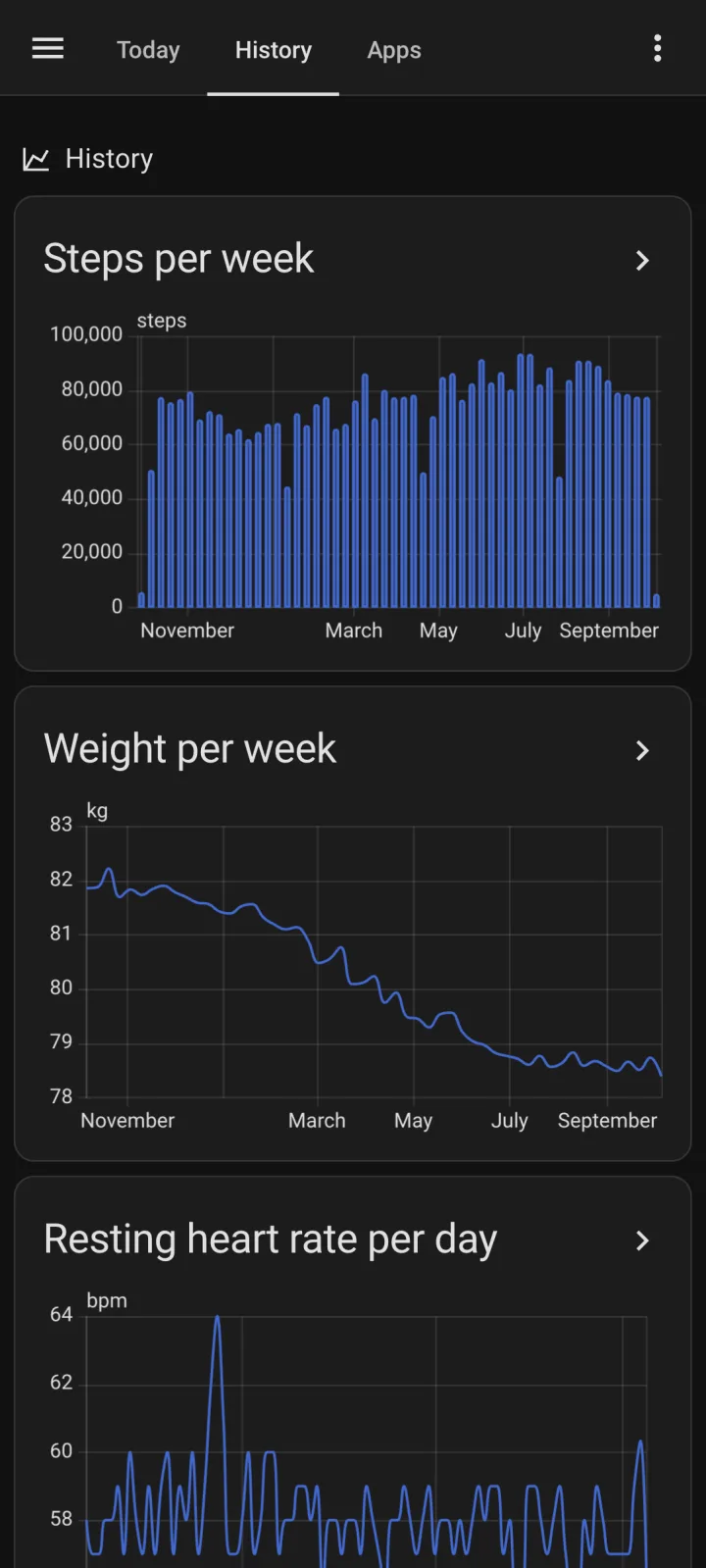
- History on the right day. Daily totals land on their own date, and readings such as heart rate and weight get a mean, minimum and maximum per hour. Data that arrives late is filed where it belongs: each sync reaches back a week for records a source writes late.
- A backfill of up to a year. Backfill on the Health tab sends 30d, 90d or 365d of every enabled type, so your graphs start full.
- Readings written back. Weight, height, body fat, lean body mass, bone mass, body water mass and blood pressure from a scale or monitor in Home Assistant go into Health Connect, where apps such as Samsung Health can read them. See smart scale readings into Samsung Health.
- Screen time per app. Minutes per app, the same numbers as Digital Wellbeing, with a day boundary you choose, such as 04:00. See screen time in Home Assistant.
- Other destinations. The same data can also go to an MQTT broker or any URL that accepts a JSON POST.
The sensors in Life Dashboard also hold just the newest value. The difference is what sits behind them: long-term statistics with every day on its own date.
Side by side
| Feature | Home Assistant companion app | Life Dashboard |
|---|---|---|
| Health Connect | 26 sensors from 25 types | 33 types; 25 become sensors, and a webhook gets every record |
| Types the other lacks | Floors climbed, elevation gained | Exercise sessions, sleep stages, nutrition, cycle tracking, mindfulness, skin temperature |
| Where a value is filed | At the moment the sensor updates | On the date and hour it belongs to |
| Long-term statistics | The six daily totals | Every type with a sensor, plus mindfulness minutes |
| Older data | None; history starts when you enable a sensor | Backfill of up to a year |
| Into Health Connect | No | Scale and blood pressure readings from Home Assistant |
| Screen time | Last used app; screen on or off | Minutes per app, with a day boundary you choose |
| Destinations | Home Assistant | Home Assistant, MQTT, any webhook |
| How often | Every 15 minutes, or every minute | Every 60 minutes by default, 15 at the shortest, or at fixed times |
| Android | 9 or newer with the Play build, 14 or newer with any build | 9 or newer for health data, 8.0 or newer for screen time |
| Presence, notifications, device sensors | Yes | No |
| What you install | Nothing extra | A second app on the phone and an integration from HACS |
The companion app column is from its sensor documentation and its code, as of release 2026.8.4.
Run both
The two don't get in each other's way. Each reads Health Connect with its own permission, and Home Assistant shows them as separate devices. Keep the companion app for presence, notifications and device sensors. If you add Life Dashboard for health data, you can switch off the companion app's Health Connect sensors under Manage Sensors so you don't see every value twice.
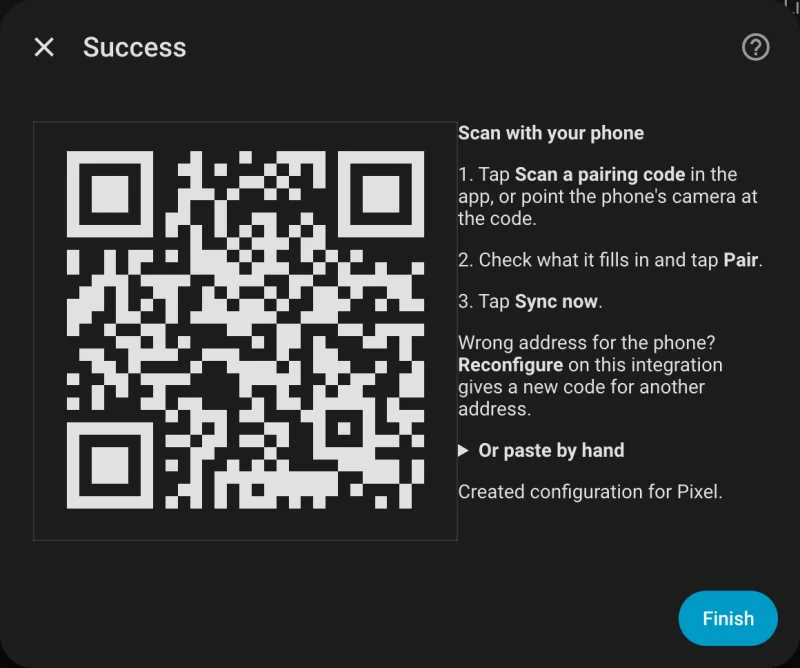
To add Life Dashboard you need Home Assistant 2026.3 or newer with HACS, and Life Dashboard Companion for Android. Today you install the signed APK from GitHub, or through Obtainium, which keeps it up to date. Google Play is in closed testing, and F-Droid is reviewing the app. The Health Connect guide for Home Assistant has every step, from the QR code to a tile on your dashboard.
Limits
- Life Dashboard is a second app on the phone, next to the companion app.
- It doesn't read floors climbed or elevation gained.
- Meals, mindfulness sessions and cycle tracking get no sensor. They go to a webhook as records, and mindfulness counts toward the day statistics.
- MQTT carries only the newest value and has no workout sensors. The backfill and the statistics need the integration.
- A home network address only syncs at home. A public HTTPS address or Home Assistant Cloud works everywhere.
Keep the companion app. Add the integration from HACS and the app on your phone, pair with one QR code, then run a backfill.
Open in HACS Get the Android appCommon questions
Why does the companion app only show the latest Health Connect value?
Each of its Health Connect sensors reads the newest record, or today's total, every time the sensors update. Home Assistant then records that value at the time of the update. There is no step that sends older records.
Can the companion app import my Health Connect history?
No, as of release 2026.8.4. Its history starts the day you enable a sensor. Life Dashboard can backfill up to a year into long-term statistics, each day on its own date.
Why is there no heart rate in my long-term statistics?
In the companion app, only the six daily totals have a state class. Heart rate, weight, sleep and the other readings stay in the recorder's history, which Home Assistant keeps for 10 days unless you change it.
Does Life Dashboard replace the companion app?
No. It handles health data and screen time, and leaves presence, notifications and device sensors to the companion app. The two run side by side.
Can the companion app write a scale reading into Health Connect?
No. As of October 2026, writing is a feature request, issue #5650, still open. Life Dashboard writes weight, body composition and blood pressure from Home Assistant into Health Connect.