 Life Dashboard
How do I get Fitbit and Pixel Watch data into Home Assistant after the Fitbit Web API shutdown?
Google turns off the Fitbit Web API on October 30, 2026. From that day, Home Assistant's Fitbit integration gets no new data: its sensors stop updating and show as unavailable. Your watch and the Google Health app keep working, and the app keeps writing your data to Health Connect on your Android phone. Life Dashboard Companion, an open-source Android app, reads it there and sends it to the Life Dashboard integration in Home Assistant. That route doesn't use the Fitbit Web API, and it needs no Google Cloud project or OAuth client.
Fitbit or Pixel WatchGoogle Health appHealth ConnectLife Dashboard CompanionHome Assistant
What stops working on October 30, 2026
Home Assistant's Fitbit integration uses the legacy Fitbit Web API. Google ended support for that API on September 30, 2026 and turns it off on October 30, 2026. From then on, Google says, the API "will no longer function or sync data to or from Fitbit users" (Google's release notes).
| What | From October 30, 2026 |
|---|---|
| Home Assistant's Fitbit integration | Stops. No new data, sensors unavailable |
| Your Fitbit or Pixel Watch and the Google Health app | Keep working |
| The Google Health app's sync to Health Connect | Keeps working; it doesn't use the Fitbit Web API |
| Home Assistant's Google Health integration | Keeps working; it uses the new Google Health API |
| Fitbit statistics already in Home Assistant | Stay, until you delete them |
The Google Health app was called the Fitbit app until May 2026.
If you use the Fitbit integration now
- Its sensors stop for good. They go unavailable and stay that way. Signing in again or reinstalling the integration doesn't bring them back, because the API behind it is gone.
- Keep your history. Fitbit sensors such as steps, calories, distance, weight and resting heart rate keep their long-term statistics in Home Assistant. If you remove the integration, Developer tools > Statistics may list those statistics as an issue and offer to delete them. Leave them if you want the old lines in your graphs.
- Set up the Health Connect route with the steps below.
- Fill the past. Tap Backfill and pick 365d. Every day lands in long-term statistics on its own date, so the Statistics graph card shows the past year. Health Connect only holds what the Google Health app wrote to it, so if you switched that sync on recently, older days may not be there to send.
- Move your dashboards and automations. The new sensors belong to a device named after your phone, such as
sensor.owen_s_pixel_steps_today, so replace the old Fitbit entity IDs. The old and the new statistics stay separate, and a Statistics graph card can show both.
What you need
- An Android phone with Android 9 or newer. Google's Health Connect sync also needs an adult Google Account.
- The Google Health app, paired with your Fitbit or Pixel Watch.
- Home Assistant 2026.3 or newer, with HACS, for the Life Dashboard integration.
- Life Dashboard Companion for Android. Today you install the signed APK from GitHub, or through Obtainium, which keeps it up to date. Google Play is in closed testing, and F-Droid is reviewing the app.
Set it up
- In the Google Health app, tap Connections at the top left, then Partner apps. Under Add connections, tap Sync your favorite health apps > Set up, accept, choose the data types and tap Allow. Google's help page has the same steps.
- In HACS, add
https://github.com/owen282000/life-dashboard-haas a custom repository of type Integration, download Life Dashboard and restart Home Assistant. - Go to Settings > Devices & services > Add integration, search for Life Dashboard and name the phone. Put Home Assistant's IP address in the Home Assistant address field, such as
http://192.168.1.20:8123; Home Assistant shows it under Settings > System > Network, in the Network adapter section. The dialog then shows a QR code.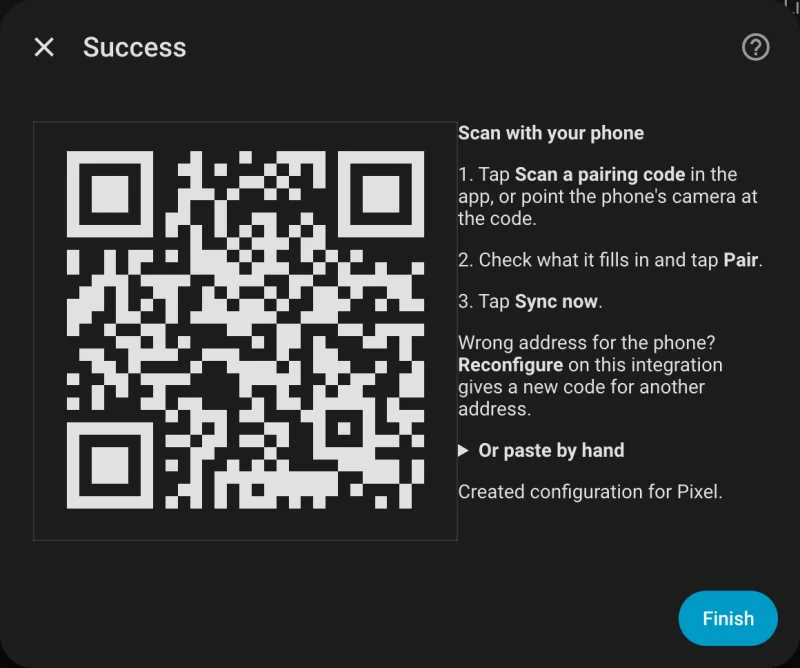
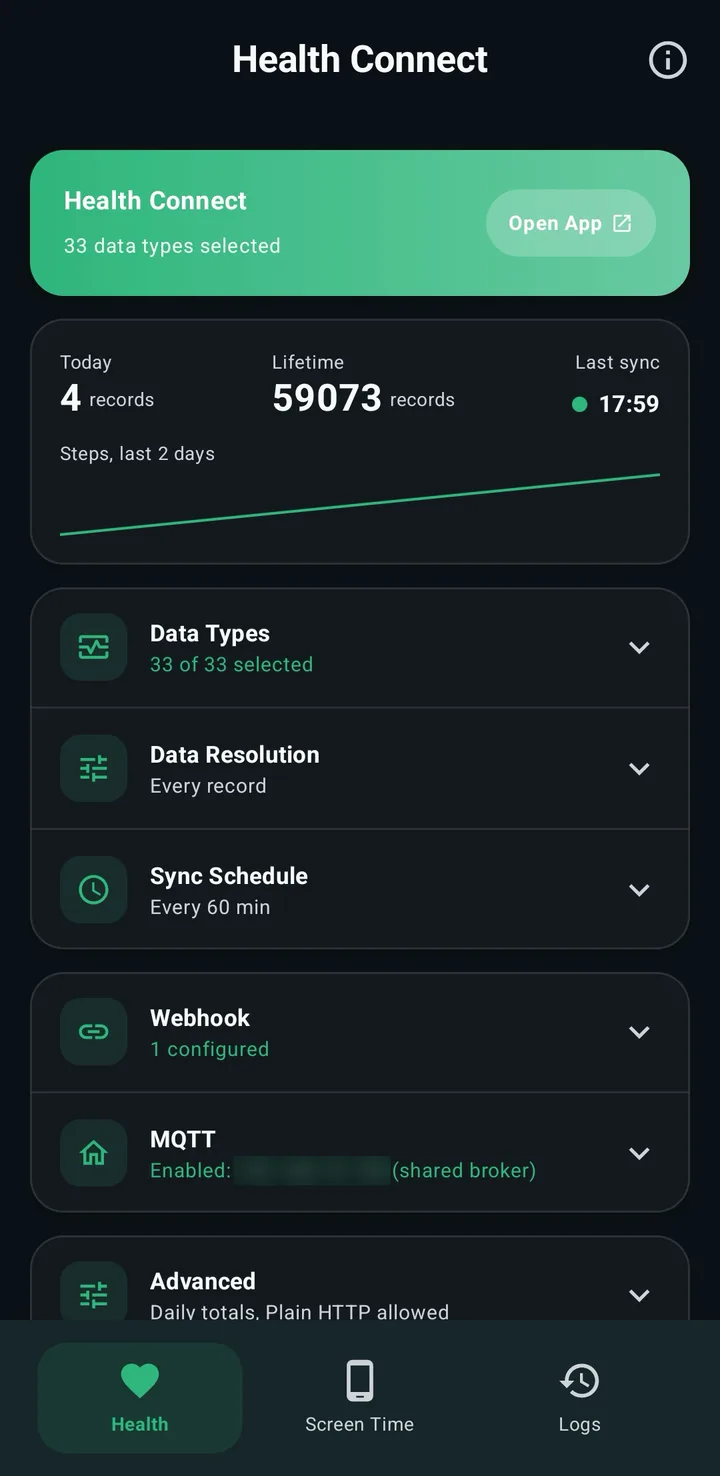
- Install Life Dashboard Companion: open the free APK from GitHub on the phone and allow installs from your browser once, or add it in Obtainium. Android may warn you before it installs an APK from outside the Play Store; it does that for every app from another source. Open the app, and at Where should your data go?, tap Scan a code from Home Assistant, scan the code and tap Pair.
- On the Health tab, tap Grant and allow your data types and reading in the background. The essentials preset covers steps, sleep, heart rate, resting heart rate, distance, calories and weight; switch on HRV, respiratory rate, skin temperature and the rest under Data Types.
- Tap Sync Now. For older data, tap Backfill and pick 30d, 90d or 365d, after Grant history access if the dialog shows it.
What you get
From Google's list of what Google Health writes to Health Connect, the app passes on:
| Area | Types |
|---|---|
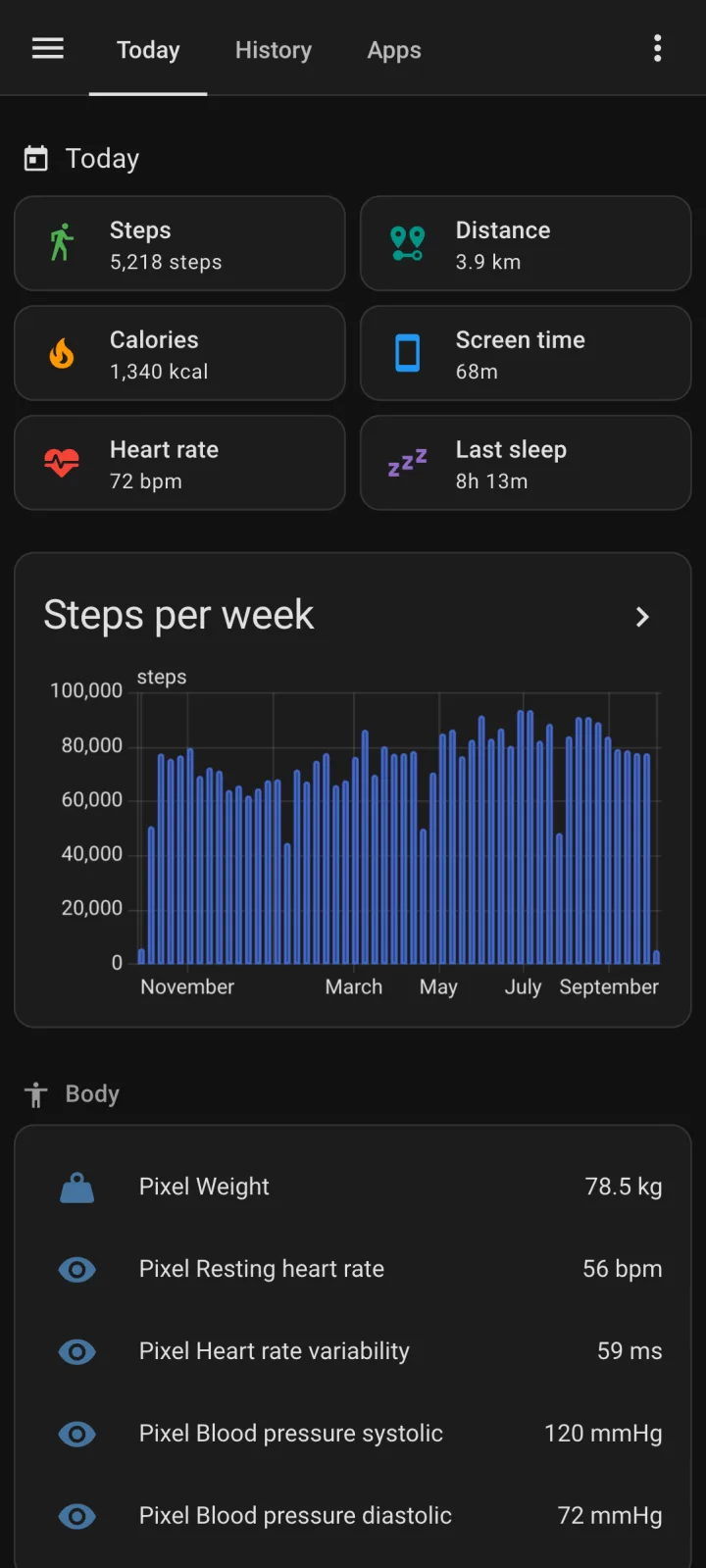
| Activity | Steps, distance, total calories, exercise sessions, VO2 max |
| Sleep | Sleep sessions with stages |
| Heart and breathing | Heart rate, resting heart rate, heart rate variability, respiratory rate |
| Body | Weight, body fat, body temperature, skin temperature, blood glucose |
| Food and drink | Hydration, nutrition |
| Cycle tracking | Menstruation period, menstruation flow, intermenstrual bleeding |
Daily totals and the latest readings become sensors, and each day is stored in long-term statistics on its own date. A backfill sends whatever history Google Health has written to Health Connect, up to a year. Since version 0.10.0 of the integration, your exercise sessions also become workout sensors: the last workout with its kind and length, and your exercise minutes today and yesterday.
Not in Google's list as of October 2026: SpO2 and active calories. One user did see Fitbit's nightly SpO2 arrive, so check on your own phone under Health Connect's app permissions. Google Health also writes floors, speed and exercise routes, which the app doesn't send.
Next to the Google Health integration
Home Assistant 2026.8 added a Google Health integration. It reads Google's cloud with the new Google Health API, the one that keeps working after the Fitbit Web API is gone. Both can run side by side.
| Feature | Google Health integration | Life Dashboard |
|---|---|---|
| Setup | Google Cloud project, OAuth client, account link | Install, scan a QR code |
| Where the data comes from | Google's cloud, polled every 15 minutes or hourly | Your phone, pushed by the app |
| History | Current values, no backfill | Every day in long-term statistics, backfill up to a year |
| HRV, respiratory rate, skin temperature | No sensor | Yes |
| Other apps and devices | What reaches your Google Health account | Any app that writes to Health Connect |
Limits
- Nightly metrics such as sleep, HRV and respiratory rate reach Health Connect when the Google Health app syncs after you wake up, often an hour or more later. The next sync picks them up.
- Health Connect is part of Android, so this route needs an Android phone.
- A backfill can only send what is in Health Connect. Days the Google Health app never wrote there can't be filled.
- A home network address only syncs at home. A public HTTPS address or Home Assistant Cloud works everywhere.
Two installs: the integration from HACS and the app on your phone. After that, pairing takes a minute.
Open in HACS Get the Android appCommon questions
Will Home Assistant's Fitbit integration keep working?
No. It uses the legacy Fitbit Web API, which Google turns off on October 30, 2026. From then on it gets no new data.
My Fitbit integration stopped working in Home Assistant. Can I fix it?
Not if it stopped on or after October 30, 2026. That is the end of the Fitbit Web API, not a fault in your setup, so signing in again or reinstalling won't help. Move to Health Connect with the steps above, or to Home Assistant's Google Health integration.
Do I lose my Fitbit history in Home Assistant?
No. Long-term statistics the Fitbit sensors already wrote stay until you delete them. New data arrives under new entities, and a backfill fills up to a year, as far back as Health Connect has your data.
Do I need a Google Cloud project or a Fitbit developer account?
No. Life Dashboard Companion reads Health Connect on the phone and sends straight to Home Assistant. The only Google setting is the Health Connect sync in the Google Health app.
Can I send it somewhere other than Home Assistant?
Yes. The same data can go to an MQTT broker or to any URL that accepts a JSON POST. See Health Connect to a webhook.
Can a scale in Home Assistant reach Google Health?
Yes, for weight and body fat. The app writes those readings into Health Connect, and Google Health reads them from there. Google Health doesn't read blood pressure from Health Connect. See smart scale readings into Samsung Health.