 Life Dashboard
How do I get Health Connect data into Home Assistant?
Install the Life Dashboard integration in Home Assistant and Life Dashboard Companion, an open-source Android app, on your phone, then pair the two with a QR code. Your watch's data then arrives as sensors, and every day is kept in long-term statistics.
It works with anything that writes to Health Connect: Samsung Health, Garmin Connect, Google Health (Fitbit and Pixel Watch), Oura, Withings and more. A backfill adds up to a year of history. Both parts are MIT licensed, nothing runs on a Life Dashboard server, and Home Assistant never needs your Samsung, Garmin or Google login.
WatchIts app, such as Samsung HealthHealth ConnectLife Dashboard CompanionHome Assistant
What you need
- Android 9 or newer. Health Connect is part of Android 14 and later; on Android 9 through 13 it comes from Google Play.
- An app that writes into Health Connect, such as Samsung Health, Garmin Connect or Google Health. Garmin Connect only does this on Android 14 or newer.
- Home Assistant 2026.3 or newer, with HACS, for the Life Dashboard integration.
- Life Dashboard Companion for Android. The install options list GitHub Releases and Obtainium, and the store listings that are on the way.
Plan on 15 to 30 minutes the first time, most of it in Home Assistant. Set up Home Assistant first: the app's setup scans the QR code the integration shows.
Set it up
- In HACS, add
https://github.com/owen282000/life-dashboard-haas a custom repository of type Integration (it isn't in the default list yet), or use Open in HACS. Download Life Dashboard and restart Home Assistant. - Go to Settings > Devices & services > Add integration, search for Life Dashboard and name the phone. Check the Home Assistant address field: it holds the address the phone sends to. Use Home Assistant's IP address, such as
http://192.168.1.20:8123, nothomeassistant.local, which Android often can't resolve. Home Assistant shows its IP address under Settings > System > Network, in the Network adapter section. Plainhttp://isn't encrypted. On your own home Wi-Fi that's fine; on any network you don't fully trust, use HTTPS or Home Assistant Cloud instead. The dialog then shows a QR code.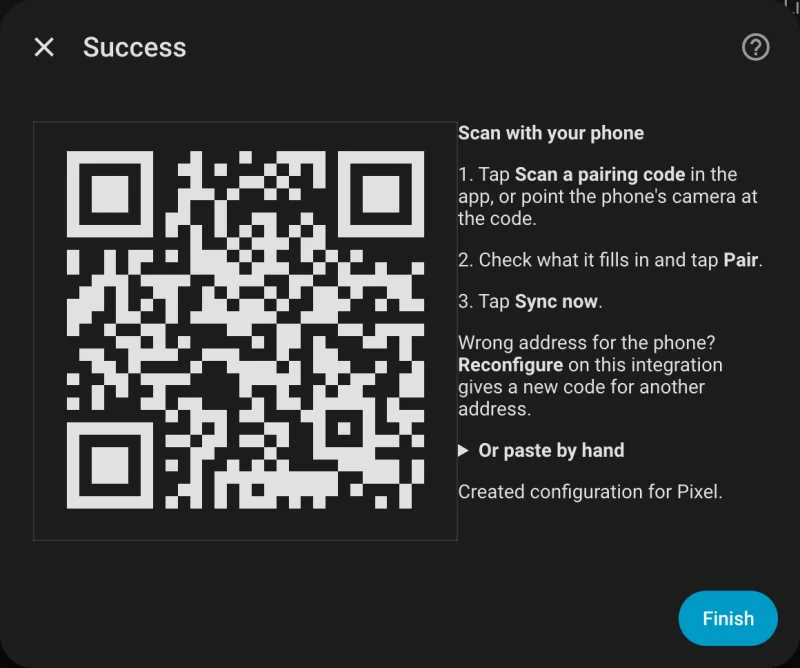
- Let your watch's app write to Health Connect. In Samsung Health that's Settings > Health Connect: tap Get started, choose the data and tap Allow. The table below has the path for other apps.
- Install and open Life Dashboard Companion on the phone. Android may warn you before it installs an APK from outside the Play Store: it does that for every app from another source, and every release is signed with the same key and carries a build attestation (install options). At Where should your data go?, tap Scan a code from Home Assistant, scan the code and tap Pair. A test ping confirms the connection.
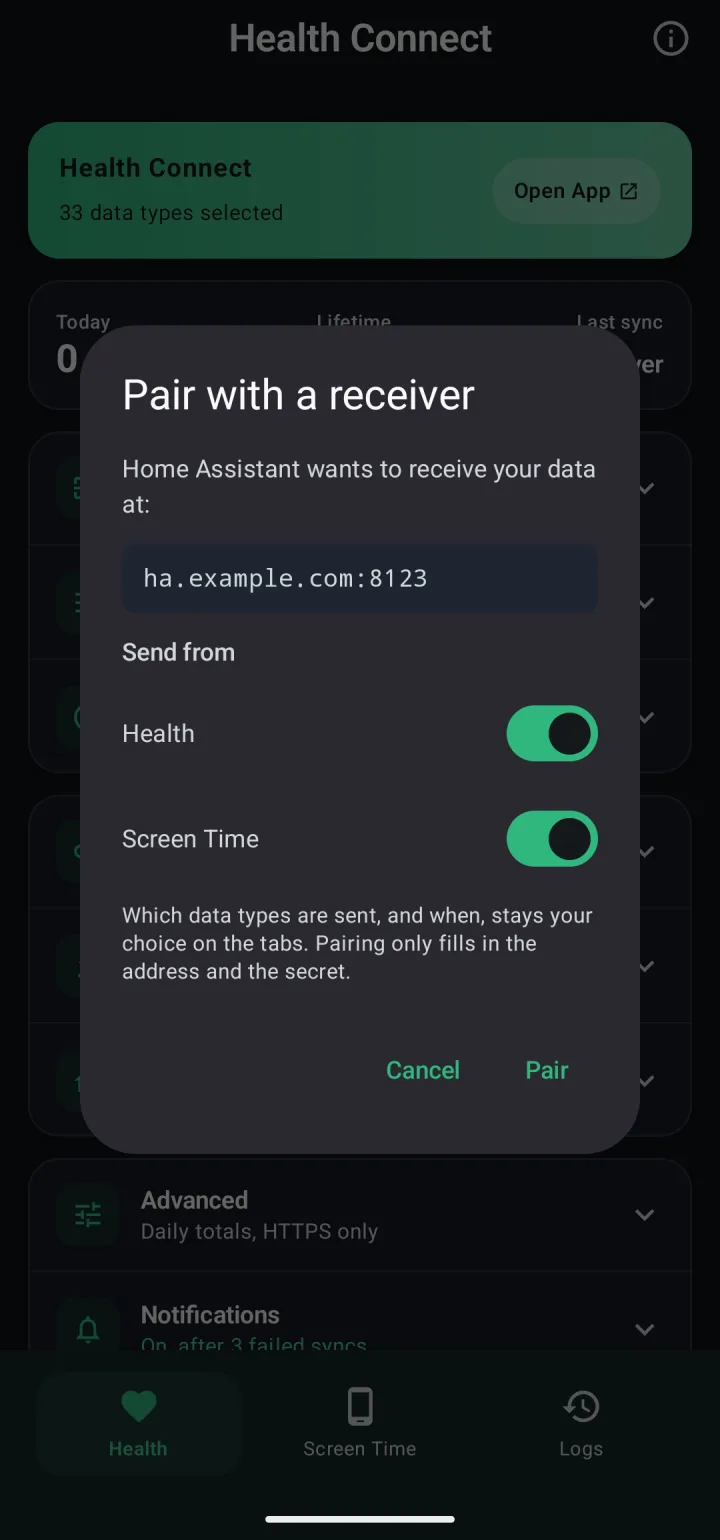
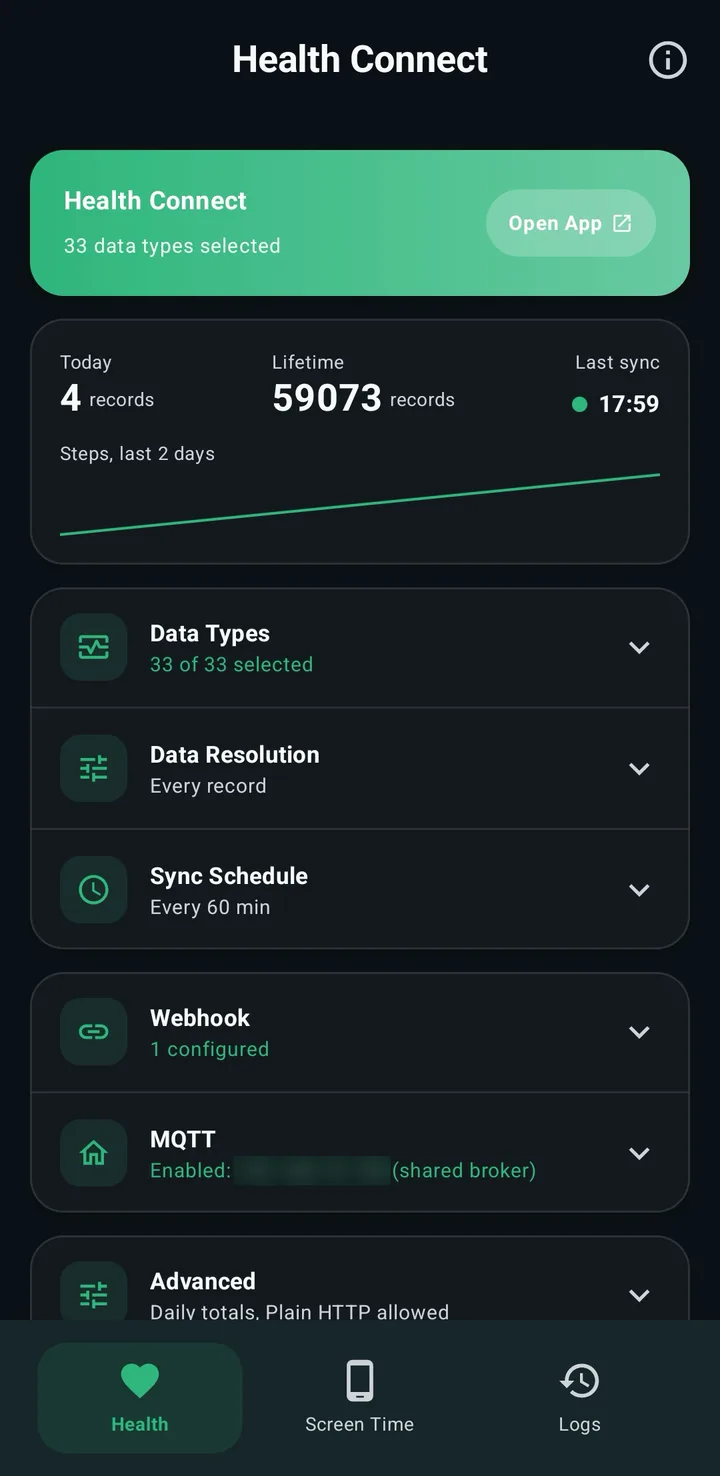
- On the Health tab, tap Grant, allow your data types, and allow reading in the background for scheduled syncs. The setup's The essentials preset turns on steps, sleep, heart rate, resting heart rate, distance, calories and weight; switch on any other type under Data Types. Samsung Health and Garmin Connect don't share resting heart rate or HRV with Health Connect, so with those watches those sensors never appear; the table below lists what each app keeps.
- On Samsung, Xiaomi and similar phones, keep Android from stopping the syncs: Settings > Apps > Life Dashboard > Battery, set to Unrestricted. On Samsung, also add Life Dashboard to Never sleeping apps under Settings > Battery > Background usage limits. Other brands are in the setup guide.
- Tap Sync Now. The phone appears under Settings > Devices & services > Life Dashboard.
- For older data, tap Backfill and pick 30d, 90d or 365d. Beyond 30 days before your first grant, tap Grant history access first.
Your watch's app and Health Connect
What arrives depends on what each app shares with Health Connect. None of these needs a developer account, an API token or a cloud login.
| App | Where to switch it on | What stays with the vendor |
|---|---|---|
| Samsung Health (Galaxy Watch) (Samsung guide) | Settings > Health Connect | HRV, resting heart rate, stress, skin temperature, respiratory rate, cycle tracking |
| Garmin Connect 5.14.1 or later, on Android 14 or later (Garmin guide) | Settings > Connected Apps > Health Connect | Body Battery, stress, HRV, resting heart rate, Pulse Ox |
| Google Health (Fitbit, Pixel Watch) (Fitbit guide) | Connections > Partner apps > Sync your favorite health apps | SpO2 and active calories, as of October 2026 |
| Oura (Gen2, or Gen3 and later with a membership) | Settings > Data Sharing > Health Connect | Readiness, Sleep and Activity scores, blood oxygen, temperature, resting heart rate |
| Withings | Export health data to Health Connect | Scores and ECG recordings |
Health Connect data types, app by app lists every type each app writes.
What you get
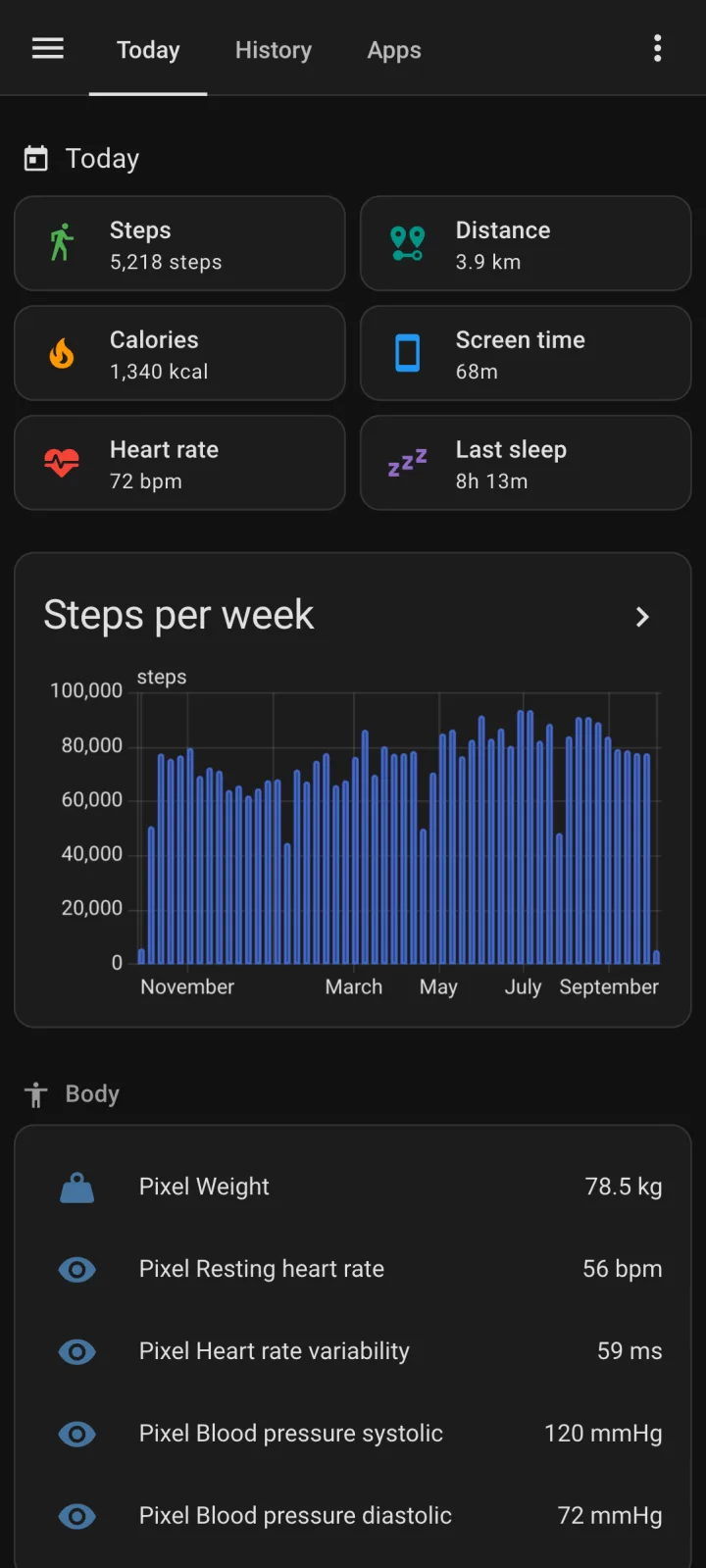
- Sensors for 25 of the 33 types: today's steps, distance and calories (such as
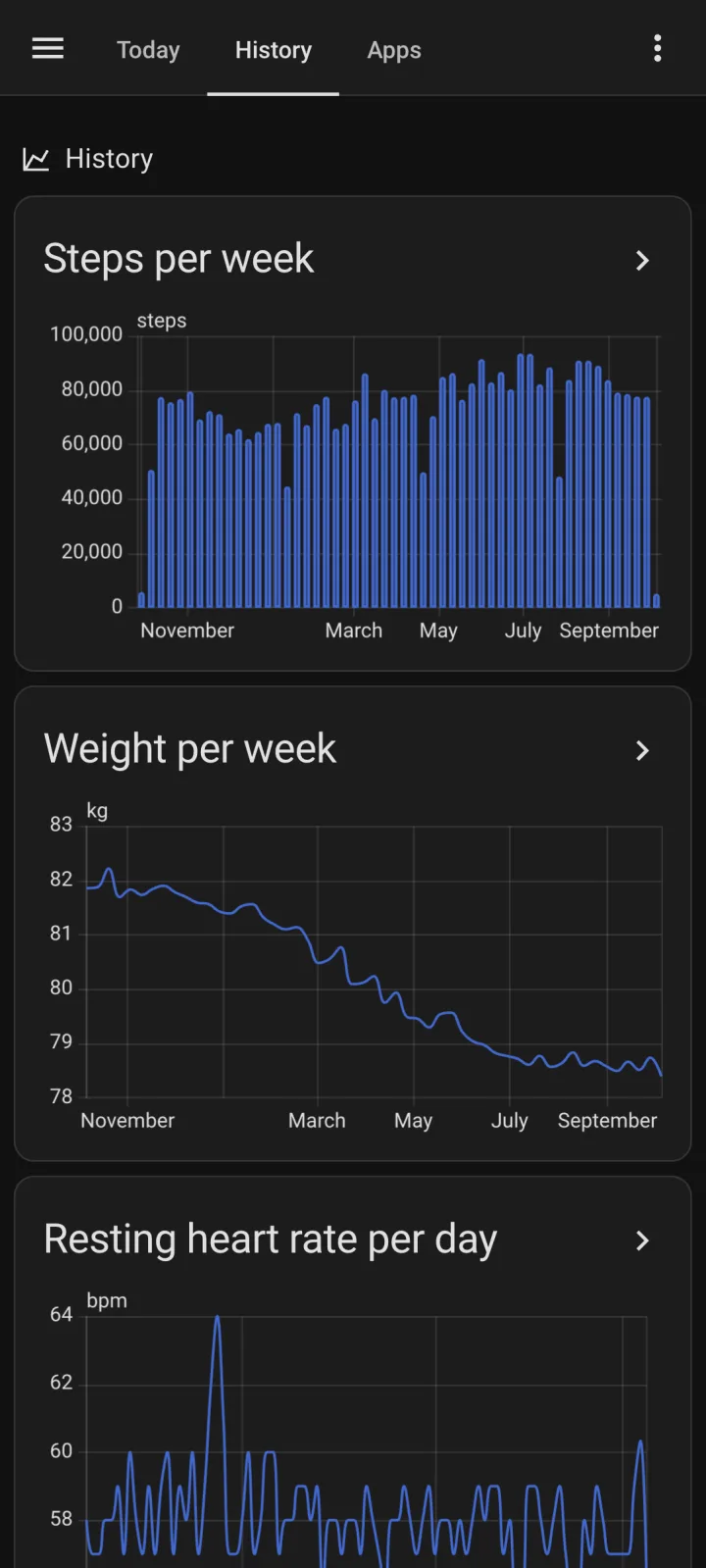
sensor.pixel_8_steps_today), and the latest heart rate, resting heart rate, HRV, last sleep, weight, blood pressure, glucose, the last workout and more. Latest values name the app that wrote them. Which ones you get depends on your watch's app; see the table above. - History in long-term statistics: one value per day for steps, distance, calories, sleep, exercise and mindfulness minutes, hydration and screen time, and an hourly mean, minimum and maximum for heart rate, weight and other measurements. Use the Statistics graph card; Sensors and statistics lists every entity.
- No double counting. Steps, distance and calories use Health Connect's daily totals, so a walk recorded by phone and watch counts once.
- An example dashboard in examples/dashboard.yaml. The setup needs no YAML; the example dashboard is an optional YAML file you paste into a new dashboard's raw configuration editor.
Syncs run every 60 minutes by default, every 15 minutes at the shortest, or at fixed times of day.
Put a tile on your dashboard
To show a value on the dashboard you already have, open it, choose Edit dashboard, then Add card > Tile, and pick the sensor. With a phone named Pixel 8, today's steps are sensor.pixel_8_steps_today and last night's sleep is sensor.pixel_8_last_sleep_duration, in minutes.
Limits
- Meals, mindfulness and cycle tracking are events and get no sensor, though the integration counts mindfulness minutes per day. Workouts get a last workout sensor and the minutes of today and yesterday. The full records go only to a webhook of your own.
- Data arrives after the vendor's app writes it to Health Connect, usually once the watch syncs with the phone.
- A home network address only syncs at home; data from away waits on the phone. A public HTTPS address or Home Assistant Cloud works everywhere. With Home Assistant Cloud, your payloads pass through its servers on the way.
MQTT as the alternative
With an MQTT broker already running, switch on Enable MQTT publishing under MQTT on the Health tab instead. Sensors for 24 types and screen time appear under a device named Life Dashboard Companion, with no YAML. Pick one route; running both gives you two devices with the same numbers.
| Feature | Life Dashboard integration | MQTT |
|---|---|---|
| Setup | HACS, then a QR code | Enter your broker |
| History | Every day, up to a year back | From the first sync on |
| Workout sensors | Yes | No |
| Screen time sensor per app | Yes | No |
| Scale readings into Health Connect | Yes | No |
Next to the Home Assistant companion app
Keep the companion app for presence, notifications and device sensors. Its 26 Health Connect sensors show the latest value or today's total, with no backfill, and each value is filed when the sensor updates, not on the date it happened. The two run side by side; the companion app and Health Connect compares them.
Two installs: the integration from HACS and the app on your phone. After that, pairing takes a minute.
Open in HACS Get the Android appCommon questions
Does this need a cloud account?
No. The phone posts straight to your Home Assistant, and there is no Life Dashboard server. Home Assistant Cloud is optional, for syncing away from home; its relay then carries the payloads.
I paired, but no watch data arrives. What's wrong?
Usually the watch's app isn't writing to Health Connect yet: switch it on as in the table above, then open the watch's app so it syncs. Also check that the type is switched on under Data Types on the Health tab, and that its permission is granted.
Does Home Assistant's Fitbit integration still work?
It uses the legacy Fitbit Web API, which Google shuts down on October 30, 2026. Fitbit and Pixel Watch data reach Health Connect through the Google Health app, so this route doesn't depend on that API. The Fitbit guide covers the move.
Does it work on an iPhone?
Yes, with Life Dashboard Companion for iPhone, which reads Apple Health and sends to the same integration. There's no App Store build yet; you build it with Xcode.
Can Home Assistant send data to the phone?
Yes, from scales and blood pressure monitors. See smart scale readings into Samsung Health.