Open sourceNo cloudNo account

Apple Health, sent from your iPhone to your own server

Life Dashboard Companion for iPhone is an open-source app that reads 28 Apple Health types and sends them to Home Assistant, an MQTT broker or your own webhook. It sends the same payload as the Android app, so both phones can share one server.

App Store: coming · TestFlight: coming

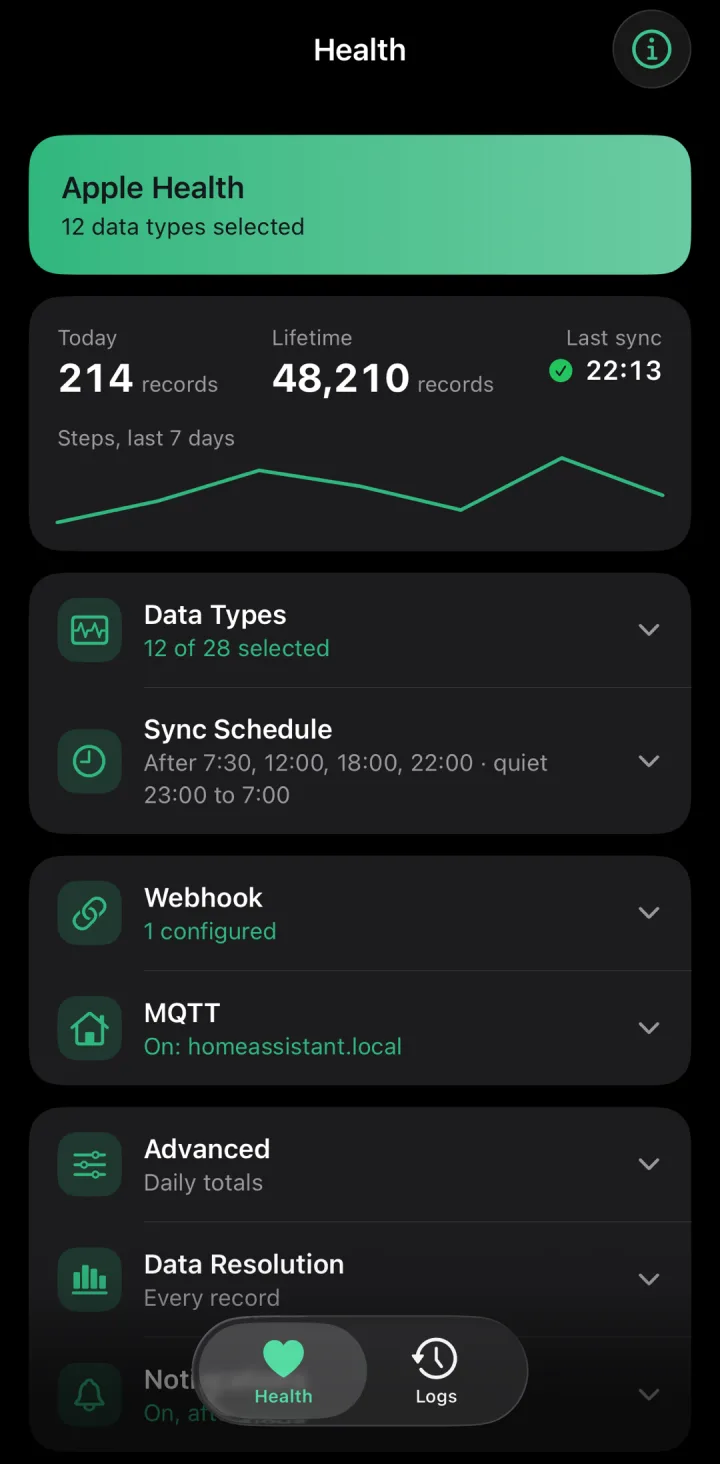
The Health tab of the iPhone app with Apple Health types

What it does

28 Apple Health types

Steps, sleep stages, heart rate, HRV, weight, blood pressure, glucose, VO2 max, workouts, nutrition and cycle tracking. Each starts off.

Every record, plus daily totals

Each record names the app or device that wrote it. Daily totals count a walk recorded by iPhone and Watch once.

A year of history

Backfill 30, 90 or 365 days. A record you delete in Apple Health is reported to your server at the next sync.

Same payload as Android

The Android app's keys, units and signing, so one Home Assistant or one receiver takes both phones.

Syncs in the background

An interval or fixed times, with quiet hours. iOS picks the moment; a Shortcuts automation gives you an exact time.

Widget, Control Center, Siri

See the last sync on your home screen, and sync from there, from Control Center on iOS 18, or with Siri.

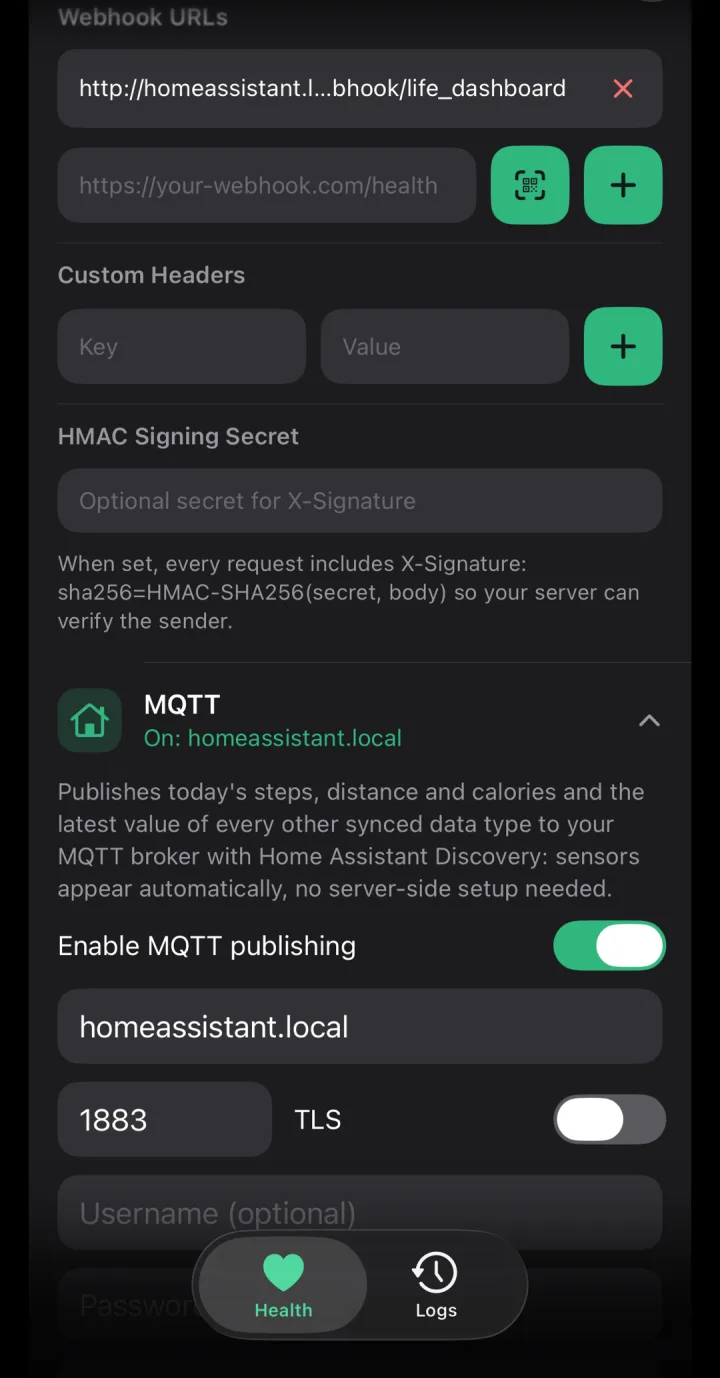
Webhook and MQTT settings in the iPhone app
Home Assistant and MQTT

Apple Health in Home Assistant, by QR code or over MQTT

The Life Dashboard integration pairs with one QR code and keeps every day in long-term statistics. Over MQTT, Home Assistant Discovery sets the sensors up without YAML, from the first sync on.

  • 20 of the 28 types as sensors Today's steps, distance and calories, and the latest heart rate, HRV, sleep, weight, blood pressure, glucose and VO2 max.
  • Up to a year of history With the integration, backfilled days land on their own date. Workouts and mindfulness count as minutes per day.
  • Its own MQTT device and base topic lifedashboard-ios, so an iPhone never collides with an Android phone on the same broker.
  • A second iPhone Give it a phone name, and it gets its own device and topics.
Setup for the integration and MQTT
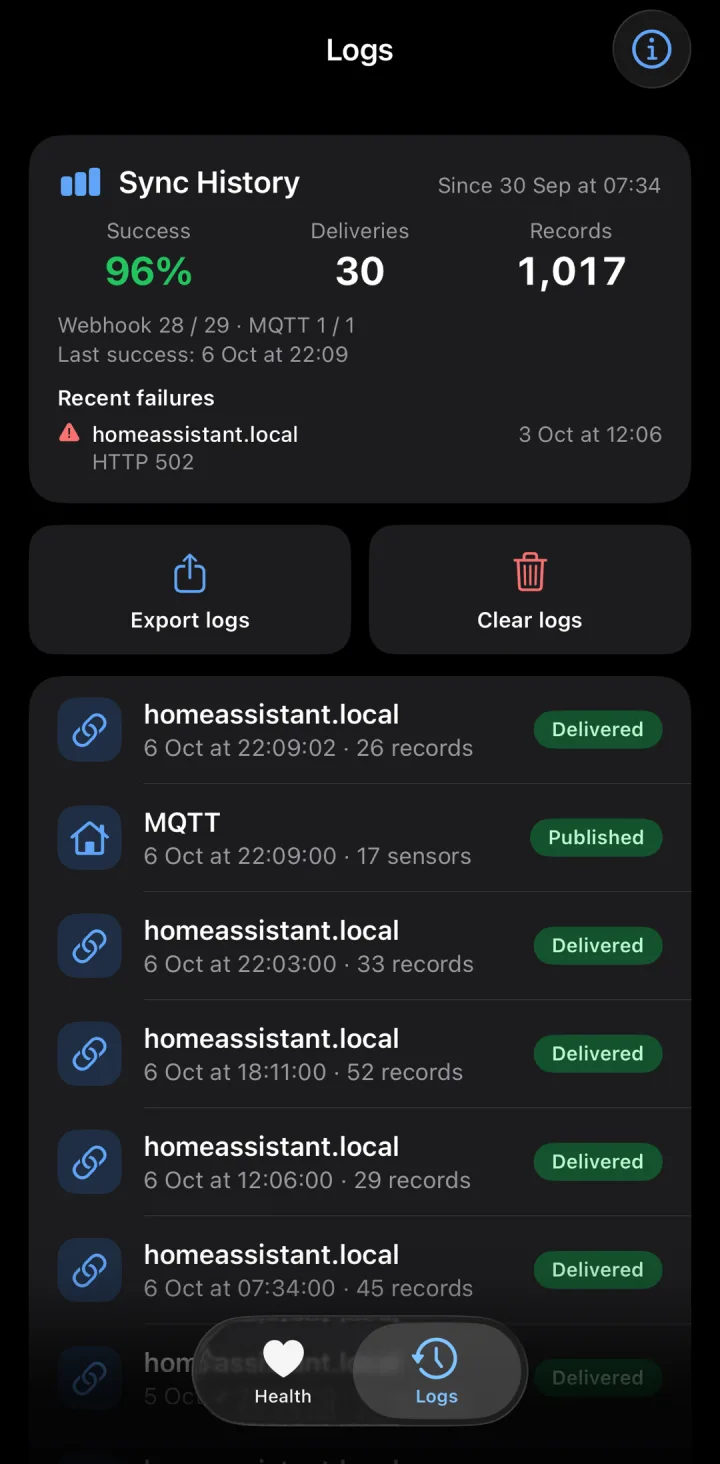
The sync history of the iPhone app
Webhooks

An Apple Health webhook with signed JSON

Any server that accepts a JSON POST can receive the data: n8n, Node-RED, the Grafana stack or a script. Every record carries a uuid to deduplicate on and a source that names the app or device that wrote it.

  • HMAC-SHA256 signing An optional X-Signature header, the same scheme as the Android app.
  • Client certificates (mTLS) Import a .p12 file into this iPhone's Keychain, for a server behind a reverse proxy that requires one.
  • A retry queue on the phone Every payload is queued before it's sent, so a sync that iOS cuts off loses nothing. It holds up to 700.
  • Sync history on the Logs tab Success rate, deliveries and records, and the latest failures grouped by receiver and error.
The payload both apps send
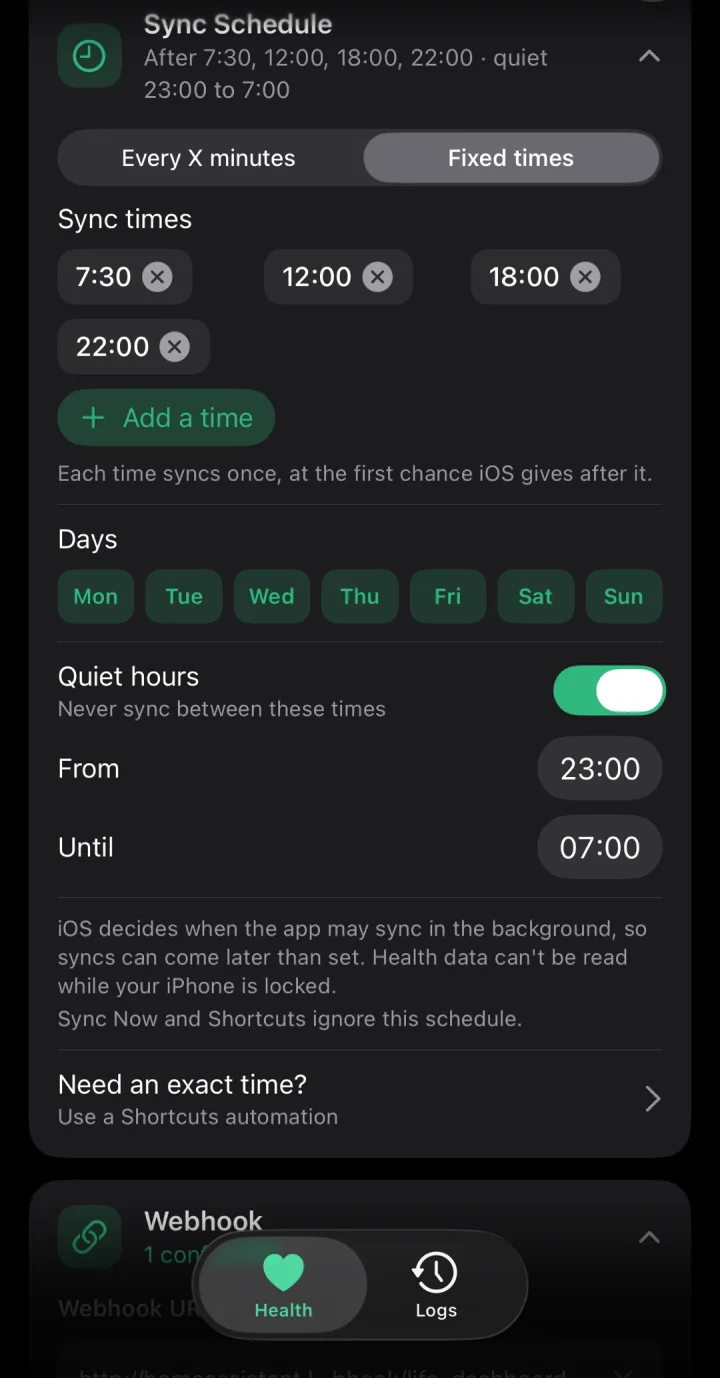
The sync schedule of the iPhone app at fixed times with quiet hours
Background sync

Runs in the background, within what iOS allows

HealthKit wakes the app when an enabled type has new data, and iOS runs background tasks when it sees fit. A fixed time means “not before”. For an exact minute, a Shortcuts automation runs Sync Health Data.

  • An interval or fixed times At least 15 minutes, 60 by default, on the weekdays you pick.
  • Quiet hours No sync between two times. Queued payloads wait too.
  • A locked iPhone can't be read iOS encrypts Apple Health while the iPhone is locked, so a sync waits until the iPhone is unlocked.
  • Shortcuts, widget and Control Center All three run Sync Health Data, together at most once a minute.
What iOS does differently
Install

Get the iPhone app

Life Dashboard Companion for iPhone

Apple Health, with the same payload

Build with Xcode

From source, on a Mac with Xcode: about an hour the first time. Your settings stay when you run a newer version.

  • App Store ComingPlanned after the TestFlight beta.
  • TestFlight ComingA public beta is next. No Mac needed then.

What you need

An iPhone on iOS 17 or newer. To build it today: a Mac with Xcode 26 (macOS 26.2 for the newest Xcode, or Xcode 26.3 on macOS 15.6) and an Apple Account; about an hour the first time. With a free account the app stops opening after 7 days until you run it from Xcode again; a paid developer account signs it for a year. The Life Dashboard integration needs Home Assistant 2026.3 or newer with HACS. Want to skip the build? The public TestFlight beta is next.

Sends to the Home Assistant integration, the Grafana stack, an MQTT broker or any webhook.

FAQ

Questions about the iPhone app

What does building it take?

About an hour the first time, if you've never used Xcode. You need a Mac with Xcode 26 (the newest Xcode needs macOS 26.2; on macOS 15.6, Xcode 26.3 works) and an Apple Account. Then: 1. Clone the repository and open the project in Xcode. 2. Pick your own team for the app and the widget. 3. Give both your own bundle identifiers. 4. Replace the app group in three places (the two targets' capabilities and one line in SharedSyncStatus.swift). 5. Run it on your iPhone and allow Developer Mode once. The setup guide shows each screen. With a free Apple Account you run it from Xcode again every 7 days; a paid developer account signs it for a year.

Does it work with an Apple Watch?

Yes. The app reads what the Watch writes to Apple Health, and total calories arrive only on days with resting energy, which usually takes a Watch. HRV is SDNN, the measure Apple Health stores, so it isn't the same number as RMSSD from an Android watch.

Does it send Screen Time?

No. Apple's Screen Time API shows usage only inside a report extension that runs in a sandbox with no network access, so no iOS app can send it anywhere. Screen time per app is in the Android app.

Can it write a scale reading into Apple Health?

No. The app asks Apple Health for read access only. Writing scale and blood pressure readings from Home Assistant into Health Connect is an Android feature.

How is it different from the Home Assistant companion app's Apple Health sensors?

Keep the companion app for presence and notifications. Its Apple Health sensors show today's total or the newest reading, and their history starts the day you switch them on. This app sends every record of 28 types, backfills up to a year, and also sends to MQTT or a webhook.

Can an iPhone and an Android phone share one Home Assistant?

Yes. Each phone gets its own device in the integration, and on MQTT the iPhone uses its own base topic. A settings backup moves between the two apps too.

Can it send to Home Assistant and a webhook at the same time?

Yes, with two things to know today. The app keeps one signing secret, and pairing with Home Assistant sets it, so give a second receiver the same secret. And a payload counts as delivered once one destination takes it, so a destination that's down at that moment misses it. The app can send to several webhooks and to MQTT at once.

When does it come to TestFlight or the App Store?

Today you build it from source with Xcode on a Mac. A public TestFlight beta is next. Until then you build it with Xcode and install it on your own iPhone. To update, pull the repository and run it again; your settings stay. Watch the releases on GitHub to hear when the beta opens.

I don't have a Mac. Can I still use it?

Not yet: building the app needs Xcode, which runs only on a Mac. The public TestFlight beta is the next step and needs no Mac. Until then, an Android phone or the Android app on a tablet is the way in.

What happens after 7 days with a free Apple Account?

The app stops opening until you run it from Xcode again. Your settings and the data already sent stay; payloads that couldn't be sent wait on the iPhone. A paid developer account signs it for a year.