Open sourceNo cloudNo account

A Home Assistant integration for your phone's health data

The Life Dashboard integration is an open-source Home Assistant integration, installed through HACS, for the Life Dashboard Companion apps on Android and iPhone. One QR code pairs a phone, and every day lands in long-term statistics. No broker and no YAML.

Setup steps · Source on GitHub

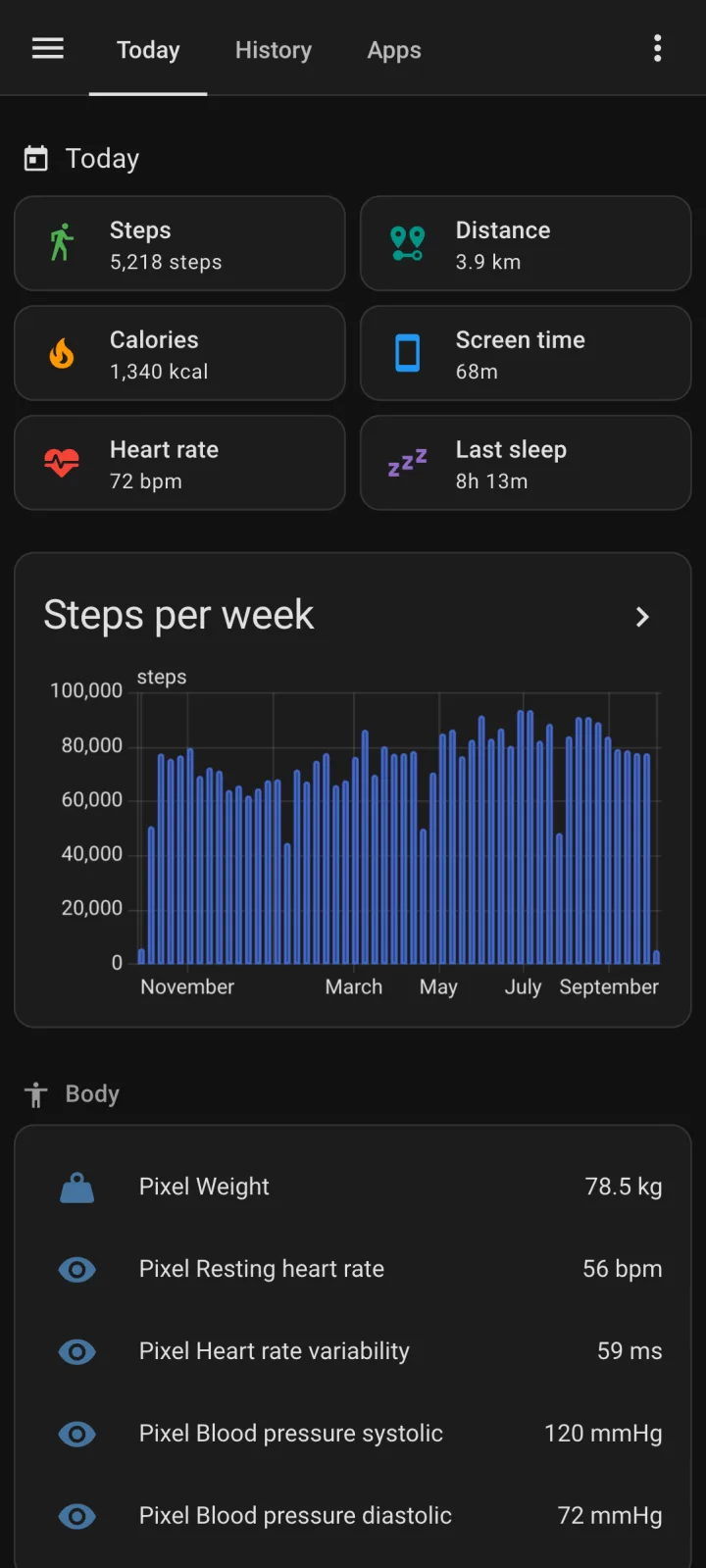
The example dashboard in Home Assistant on a phone

What it does

Sensors for today

Day totals for steps, distance and calories, and the latest heart rate, sleep, weight and blood pressure, each with its source app.

A year in long-term statistics

Every day lands on its own date, so a backfill from the phone fills a year of the Statistics graph card.

Paired by QR code

One code per phone holds a webhook URL and a signing secret. The phone never gets a Home Assistant login or token.

Signed, always

HMAC-SHA256 on every payload, checked in constant time before parsing. There's no switch to turn signing off.

Nothing counted twice

The apps re-send on purpose. A repeat leaves sensors, day totals and sessions as they were; a correction replaces the old figure.

Back into Health Connect

Map a scale or blood pressure entity, and the Android app writes each new reading into Health Connect.

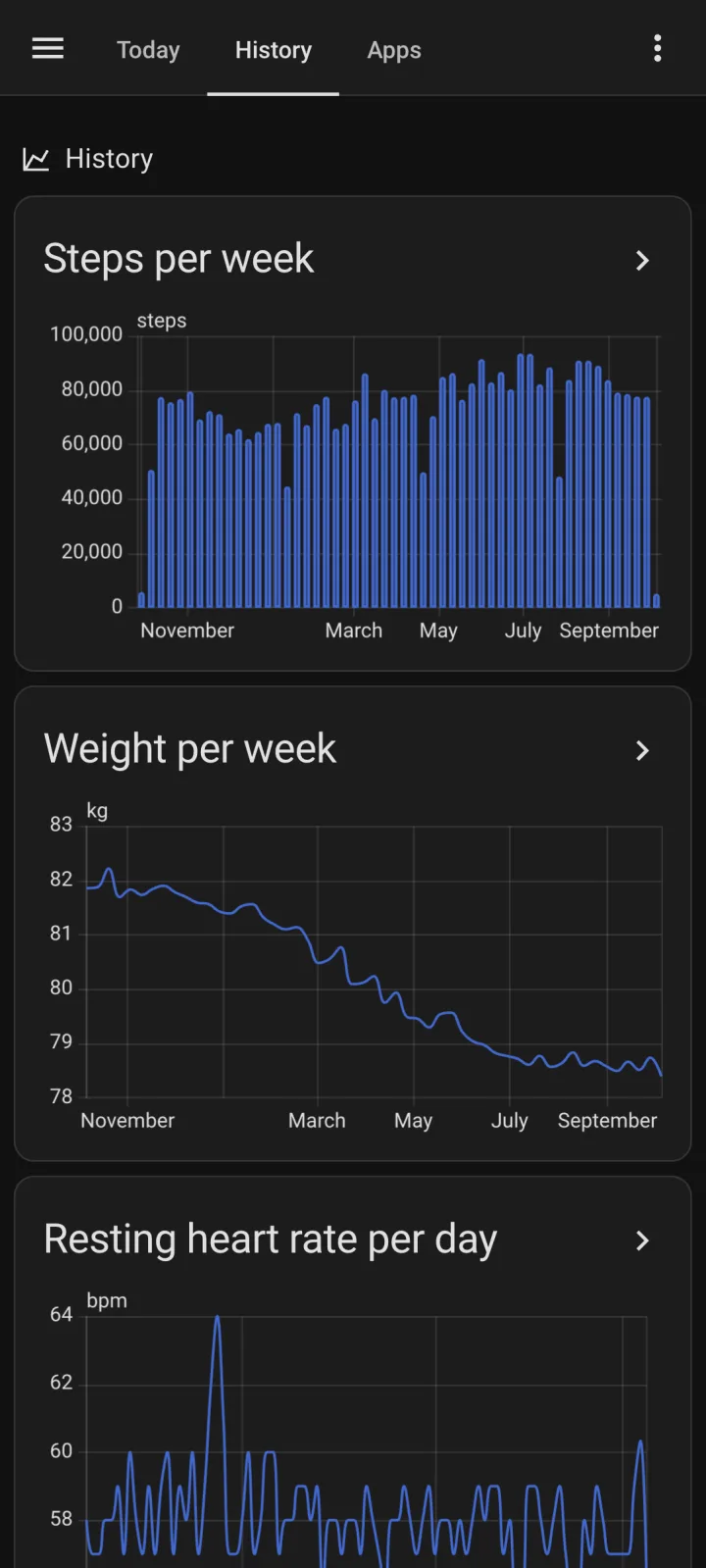
History graphs in Home Assistant on a phone
Sensors and statistics

Sleep, steps and heart rate sensors, with history behind them

Sensors appear the first time their type arrives, so you only get what you sync. A sensor holds the latest value; long-term statistics hold the past, each value on the date it happened.

  • Day totals Steps, distance, active and total calories, from Health Connect's or HealthKit's deduplicated figures.
  • Latest readings Heart rate, resting heart rate, HRV, last sleep, weight, blood pressure, glucose, SpO2, VO2 max, the last workout and more, with measured_at and source.
  • One value per day Steps, distance, calories, sleep, exercise and mindfulness minutes, hydration and screen time.
  • Mean, minimum and maximum per hour Heart rate, weight, blood pressure and the other measurements.
Every sensor, statistic and attribute
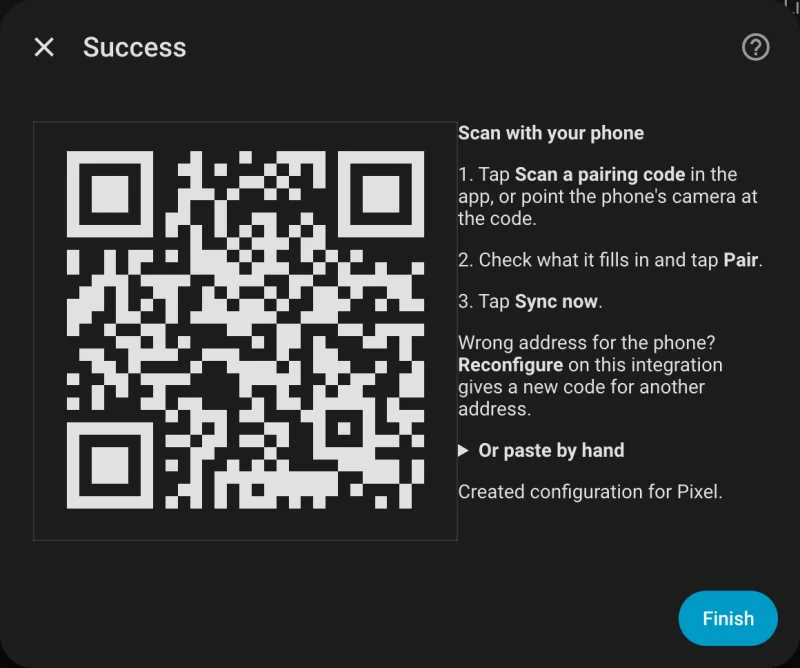
The Life Dashboard integration in Home Assistant showing a pairing QR code
Pairing and security

One QR code per phone, and a signature on every payload

Add the integration once per phone, and it shows a QR code with a webhook URL and a secret it generated: 64 hex characters. A payload without a valid HMAC-SHA256 signature gets a 401 and is logged without its contents. How to add Health Connect to Home Assistant walks through the pairing.

  • Home address, public address or Home Assistant Cloud A home address keeps the data on your network, over plain HTTP unless you add TLS. A cloudhook syncs from anywhere without port forwarding, through Home Assistant Cloud's servers.
  • Signed responses Readings sent back to the phone are signed and bound to the request, so nobody on the network can slip one in.
  • Rotate the secret any time Reconfigure has Generate a new secret. The phone syncs again once it has the new code.
  • Diagnostics without health data Download diagnostics redacts the secret and the webhook ID, and holds no health data.
The security design
The example dashboard in Home Assistant on a phone
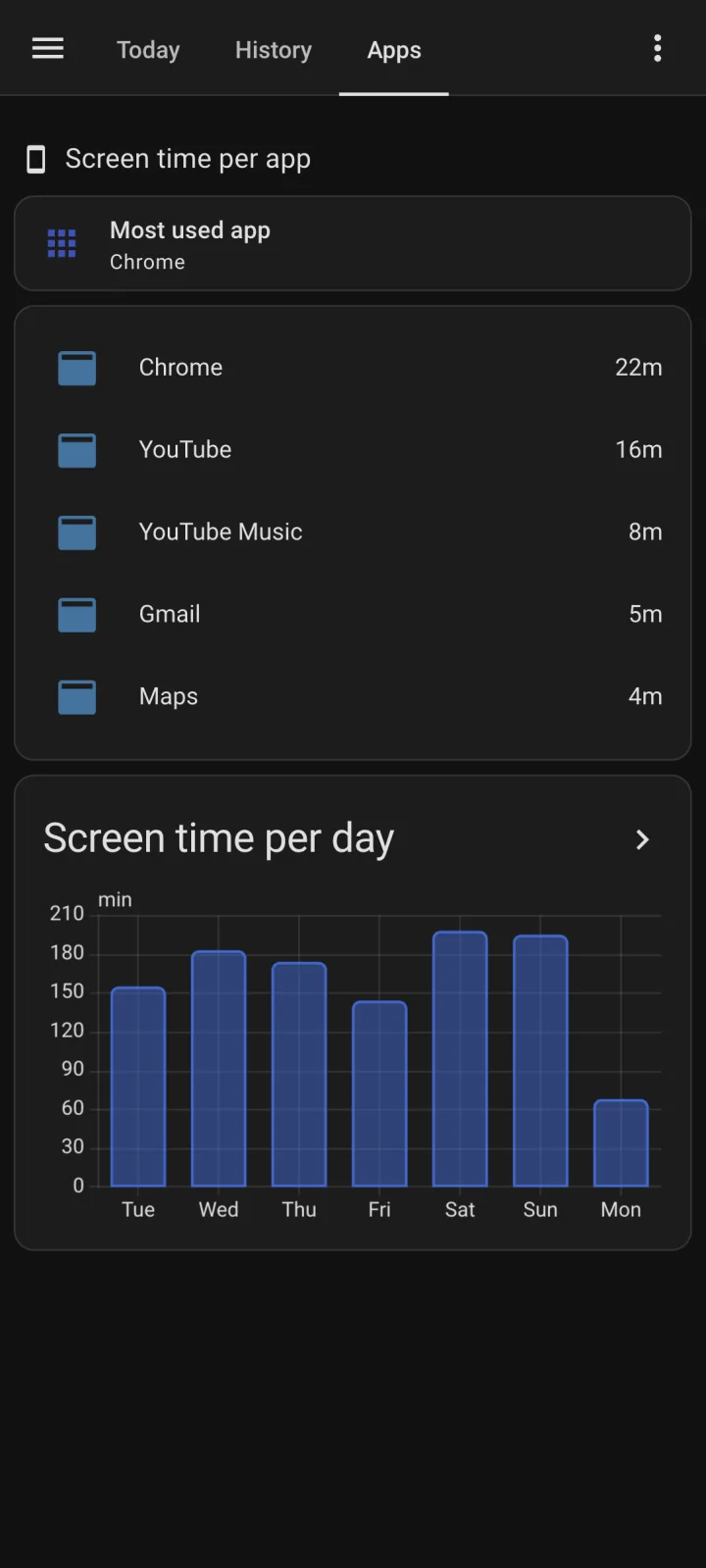
Screen time per app in Home Assistant on a phone
Example dashboard

A health data dashboard to start from

examples/dashboard.yaml is a view for one phone in three sections. Paste it into a new dashboard's raw configuration editor and put in your phone's name.

  • Today Tiles for steps, distance, calories, screen time, heart rate and last sleep, a body card and the two sync times.
  • On the phone The most used app, the top apps of the day and screen time per day. Android only.
  • History Steps per week and heart rate per day, from long-term statistics.
  • A sensor per app Created disabled, up to 50 per phone, for automations such as a time limit on one game.
The example dashboard YAML
Compared

Next to the Home Assistant companion app

Keep the companion app for presence, notifications and device sensors. The two run side by side; this is what the integration adds for health data.

FeatureHome Assistant companion appLife Dashboard
Health Connect26 sensors33 types; 25 become sensors, and a webhook gets every record
HistoryFrom the day you enable a sensor, with today's value filed at sync timeA backfill of up to a year, every value filed on the date it happened
Screen timeLast used appMinutes per app, with a day boundary you choose
Into Health ConnectNoScale and blood pressure readings from Home Assistant
Other destinationsHome AssistantAlso MQTT, any webhook and the Grafana stack

From the companion app's sensor documentation and its code, as of release 2026.8.4. The companion app and Health Connect goes row by row.

Install

Install the integration

What you need

Home Assistant 2026.3 or newer with HACS, where you add the integration as a custom repository of type Integration until it's in the default list. On each phone, Life Dashboard Companion for Android or for iPhone. Screen time, the sensors per app and Receive need the Android app; the sensors per app need integration 0.9.0 or newer.

Pairs with Life Dashboard Companion for Android and for iPhone.

FAQ

Questions about the integration

Should I use MQTT or this integration?

Pick one; running both gives you two devices with the same numbers. MQTT Discovery creates the same sensors and suits a setup that already has a broker and only wants current values. Only the integration has backfilled history, a screen time sensor per app and readings back to the phone.

Can several phones share one Home Assistant?

Yes. Add the integration once per phone, Android and iPhone alike. Each gets its own webhook ID, secret, device and statistics, and the entity IDs follow the name you give it, such as sensor.owen_s_pixel_steps_today.

Which data gets no sensor?

Eight of the 33 Health Connect types are events: meals, mindfulness sessions, sexual activity and the five cycle tracking types. Workouts get a last workout sensor and the minutes of today and yesterday, and mindfulness counts as minutes per day in the statistics. For the raw records, add a second webhook in the app that points at your own backend.

Can Home Assistant send a scale reading to the phone?

Yes, on Android. Configure maps one entity per type: weight, body fat, lean body mass, bone mass, body water mass, height and blood pressure. The app writes each new value into Health Connect; Smart scale to Samsung Health has the setup.

Does Home Assistant poll the phone or a cloud?

No. The phone pushes a signed payload on its own schedule, and nothing in Home Assistant polls. A payload that fails while Home Assistant restarts waits in the app's outbox and goes out with the next sync.

Can an AI read the history?

Yes, a model you choose, through ha-mcp, a community MCP server for Home Assistant with a history tool that reads long-term statistics. Home Assistant's built-in MCP server only offers current states. With a local model nothing leaves your network; with a cloud model, your questions and the results go to its provider. Health Connect data over MCP has the setup, and the stack's own MCP server if you'd rather keep the data in Postgres.

What happens when I remove a phone?

Deleting the entry removes the device and its sensors, deletes its cloudhook if it had one, and deletes the phone's files in .storage. Its long-term statistics stay in the recorder, as they do for any integration you remove.