 Life Dashboard
How do I get Samsung Health and Galaxy Watch data into Home Assistant?
Switch on Samsung Health's sync with Health Connect on your Android phone, then let Life Dashboard Companion, an open-source Android app, send that data to the Life Dashboard integration in Home Assistant. Steps, sleep, heart rate, workouts and body measurements from your Galaxy Watch become sensors, and every day is kept in long-term statistics. Home Assistant never needs your Samsung account.
Galaxy WatchSamsung HealthHealth ConnectLife Dashboard CompanionHome Assistant
Why there's no Samsung Health integration
Samsung has no cloud API for your own Samsung Health data, and its data SDK is open only to registered partners. That's why the Samsung Health feature request on the Home Assistant forum, open since April 2019, never got an integration. Home Assistant's SmartThings integration covers SmartThings devices, not Samsung Health or your watch. What Samsung Health does have is a sync with Health Connect on the phone, in both directions. An app on the phone reads it there and sends it on. More in a web API for Health Connect or Apple Health.
What arrives and what stays with Samsung
Only what Samsung Health writes to Health Connect can reach Home Assistant. From Samsung's list, as of October 2026:
| Data | Types |
|---|---|
| Arrives | Steps, workouts with their calories, distance and VO2 max, sleep with stages, heart rate, oxygen saturation, blood pressure, blood glucose, weight, body fat, height, basal metabolic rate, nutrition |
| Stays with Samsung | Heart rate variability, resting heart rate, stress, skin temperature, respiratory rate, cycle tracking, ECG, Energy Score (every app compared) |
Distance and calories come only from workouts, not from Samsung's all-day activity tracking, and there are no active calories. Health Connect has no type for stress, ECG or Energy Score at all. Samsung says the list can change from one Samsung Health version to the next, so check on your own phone under Health Connect's App permissions > Samsung Health.
What you need
- An Android phone with Android 9 or newer and Samsung Health, with your Galaxy Watch paired. Health Connect is built into Android 14 and later; on older versions, Samsung Health asks you to install it.
- Home Assistant 2026.3 or newer, with HACS, for the Life Dashboard integration. The workout sensors need version 0.10.0 or newer.
- Life Dashboard Companion for Android. Today you install the signed APK from GitHub, or through Obtainium, which keeps it up to date. Google Play is in closed testing, and F-Droid is reviewing the app.
Set it up
- In Samsung Health, open Settings > Health Connect. Tap Get started, choose the data and tap Allow. Samsung asks for writing and reading separately: writing sends its data to Health Connect, which this route needs, and reading lets it pick up readings from a scale, as described below.
- In HACS, add
https://github.com/owen282000/life-dashboard-haas a custom repository of type Integration, download Life Dashboard and restart Home Assistant. - Go to Settings > Devices & services > Add integration, search for Life Dashboard and name the phone. In the Home Assistant address field, use Home Assistant's IP address, such as
http://192.168.1.20:8123. You find it under Settings > System > Network, in the Network adapter section. The dialog then shows a QR code.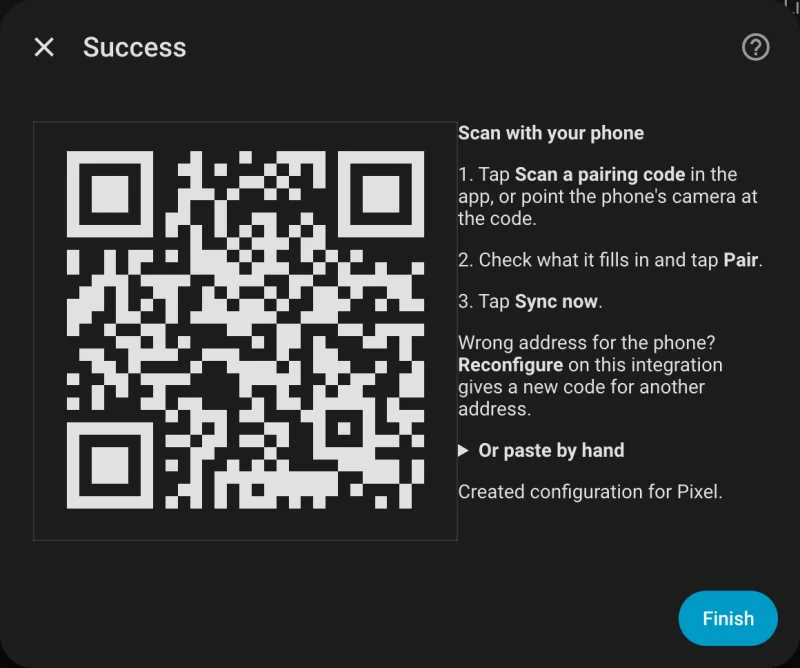
- Install Life Dashboard Companion: open the free APK from GitHub on the phone and allow installs from your browser once, or add it in Obtainium. Android may warn you before it installs an APK from outside the Play Store; it does that for every app from another source. Open the app, and at Where should your data go?, tap Scan a code from Home Assistant, scan the code and tap Pair.
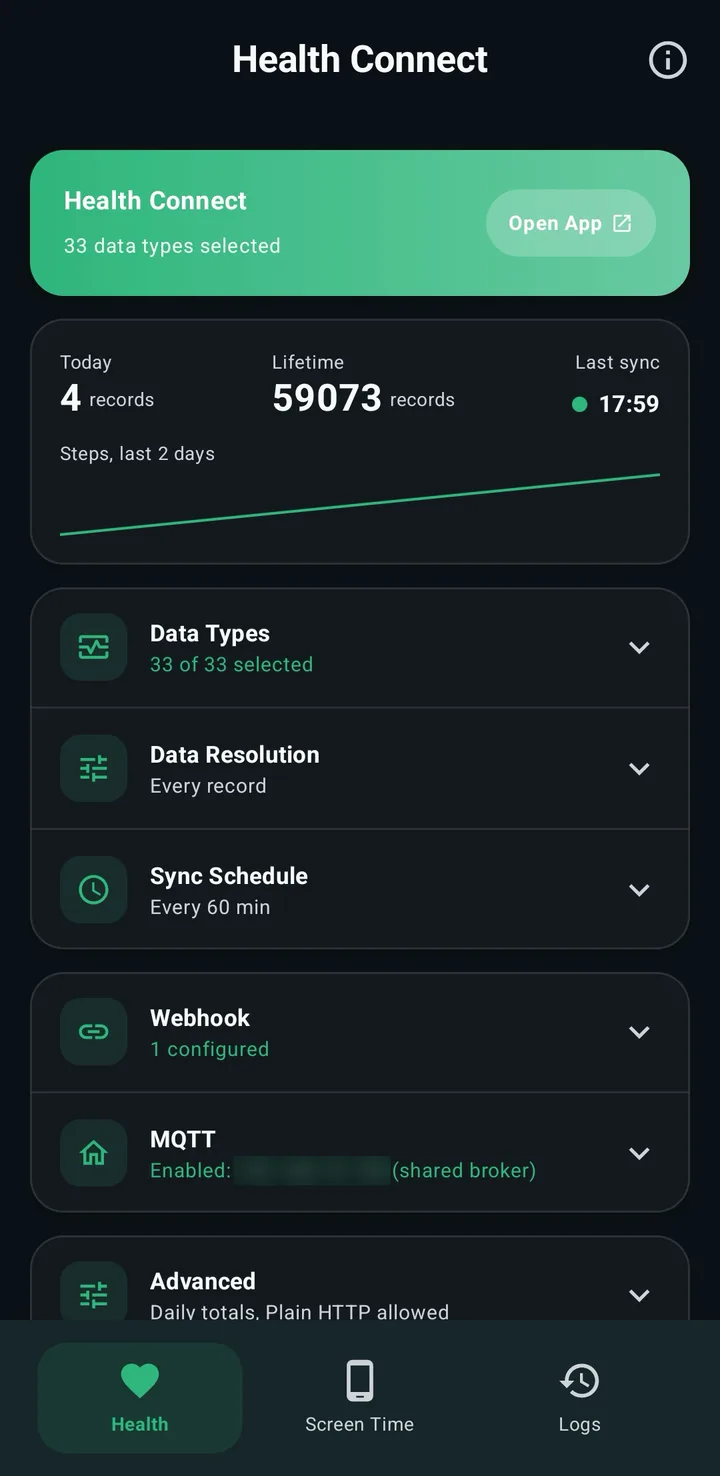
- On the Health tab, tap Grant and allow your data types and reading in the background. The essentials preset also turns on resting heart rate and active calories, which Samsung doesn't share, so they get no sensor. Under Data Types, switch on Exercise Sessions, Oxygen Saturation, Blood Pressure, Body Fat and whatever else from the table you want.
- Samsung phones stop background jobs to save battery. Go to Settings > Apps > Life Dashboard > Battery and set it to Unrestricted. Then add Life Dashboard to Never sleeping apps under Settings > Battery > Background usage limits; on some versions that's under Device care.
- Tap Sync Now. For older data, tap Backfill and pick 30d, 90d or 365d, after Grant history access if the dialog shows it.
The Health Connect guide for Home Assistant covers the same pairing in more detail, plus putting a tile on your dashboard and MQTT as an alternative.
What you get
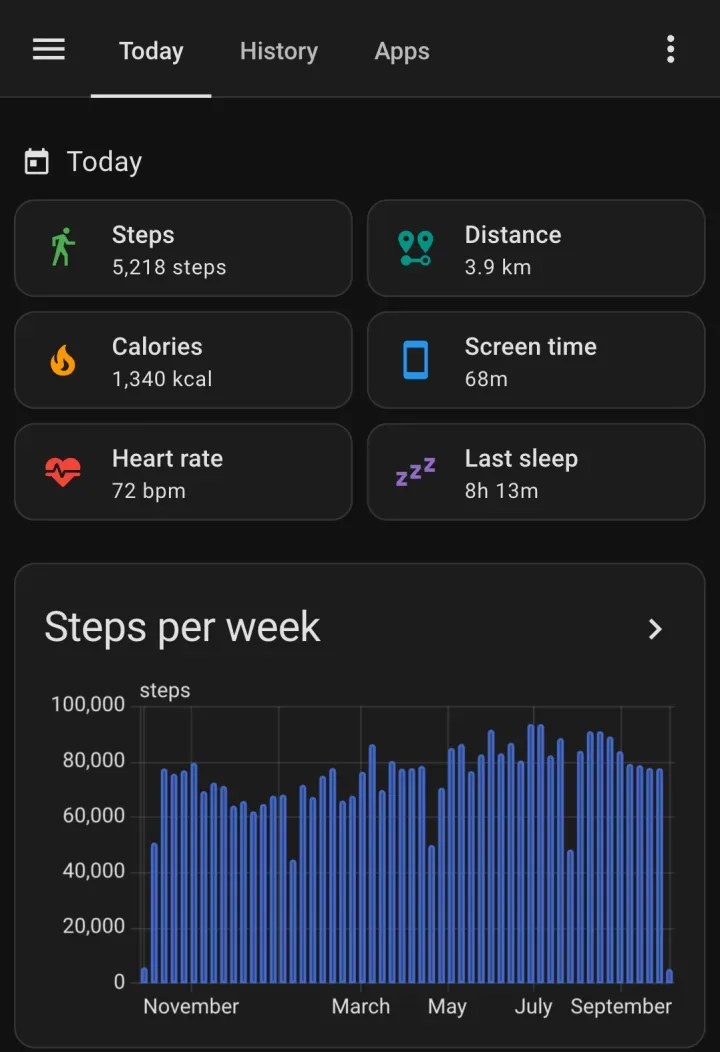
- Sensors for today's steps, distance and calories, and the latest heart rate, last sleep duration, oxygen saturation, blood pressure, blood glucose, weight, body fat and VO2 max. With a phone named Galaxy S25, today's steps are
sensor.galaxy_s25_steps_today. Sensors appear as data arrives, so a type Samsung doesn't share never shows up as an empty one. - Galaxy Watch heart rate. The heart rate sensor holds the newest reading, with the time it was measured. Long-term statistics keep an hourly mean, minimum and maximum, so you can chart a day or a year. The hourly minimum isn't the resting heart rate Samsung Health shows.
- Workouts.
last_workoutholds the kind of your newest workout, such asrunning, with its start, end and minutes.exercise_todayandexercise_yesterdayhold the minutes of each day, with every session listed. - History in long-term statistics: one value per day for steps, distance, calories, sleep and exercise minutes, and an hourly mean, minimum and maximum for heart rate, weight and the other measurements. A backfill fills it up to a year back.
- No double counting. Steps, distance and calories use Health Connect's daily totals, so a walk counted by both the phone and the Galaxy Watch counts once.
Sensors and statistics lists every entity and its attributes.
From a scale back into Samsung Health
The sync works the other way too. With Receive switched on in the app, readings from a scale or blood pressure monitor that only talks to Home Assistant go into Health Connect, and Samsung Health reads the weight and body fat from there. Samsung has confirmed reading weight and body fat that a Withings scale wrote to Health Connect; body composition and blood pressure from other apps don't always show. Smart scale readings into Samsung Health has the setup.
Limits
- Galaxy Watch data reaches Health Connect after it reaches the phone: when the watch reconnects, or when you open or pull down the Samsung Health home screen. Samsung holds back continuous heart rate for a while to save battery; a heart rate you measure by hand comes through right away. The app's next sync then picks it up, every 60 minutes by default and every 15 at the shortest.
- Samsung only says that new or updated data goes to Health Connect once you connect the two. Whether your older Samsung Health history is there is up to Samsung; a 365d backfill shows how far back it goes.
- Health Connect is part of Android, so this route needs an Android phone.
- A home network address only syncs at home. A public HTTPS address or Home Assistant Cloud works everywhere.
Two installs: the integration from HACS and the app on your phone. After that, switch on Health Connect in Samsung Health and pair with one QR code.
Open in HACS Get the Android appCommon questions
Does Home Assistant need my Samsung account?
No. The data comes from Health Connect on your phone, and the app sends it straight to Home Assistant. Nothing logs in to Samsung's cloud, and there is no Life Dashboard server in between.
Why is there no HRV, resting heart rate or stress sensor?
Samsung Health doesn't write them to Health Connect, as of October 2026. Health Connect has no type for stress at all. With no Samsung API to fetch them from, they stay in Samsung Health. If Samsung adds them to its Health Connect sync, the app sends them on and the sensors appear.
How fast does Galaxy Watch heart rate show up in Home Assistant?
Not live. Samsung holds back continuous heart rate on the watch to save battery, and the app syncs on a schedule, every 15 minutes at the shortest. Expect minutes to hours. For automations that need a live value, this isn't the right source.
Can't the Home Assistant companion app do this?
It reads Health Connect too, and shows the latest value of each type. It has no backfill and doesn't file values on the day they happened, and it can't get past Samsung's gaps either: its HRV and resting heart rate sensors get nothing from Samsung Health. The two run side by side. The companion app and Health Connect compares them.
Can I send Samsung Health data somewhere other than Home Assistant?
Yes. The same data can go to an MQTT broker or to any URL that accepts a JSON POST. See Samsung Health to your own server.