 Life Dashboard
How do I get Apple Watch data into Home Assistant?
Your Apple Watch already writes what it measures into Apple Health on the iPhone it's paired with. Install Life Dashboard Companion on that iPhone and the Life Dashboard integration in Home Assistant, pair the two with a QR code, and the watch's heart rate, HRV, sleep, workouts and VO2 max arrive as sensors, with up to a year of history in long-term statistics.
There's nothing to install on the watch, and Home Assistant never needs your Apple Account. The iPhone app reads Apple Health and posts straight to your Home Assistant; there's no Life Dashboard server in between.
Apple WatchApple Health on the iPhoneLife Dashboard CompanionHome Assistant
What you need
- An Apple Watch paired with an iPhone on iOS 17 or newer.
- Home Assistant 2026.3 or newer with HACS, and the Life Dashboard integration 0.7.1 or newer.
- Life Dashboard Companion for iPhone. It's on the App Store for €6.99 once (US$5.99), no subscription. Building it from source with Xcode on a Mac stays free.
Set it up
- Install the integration from HACS, restart Home Assistant, and add it under Settings > Devices & services with a name for the iPhone. It shows a QR code.
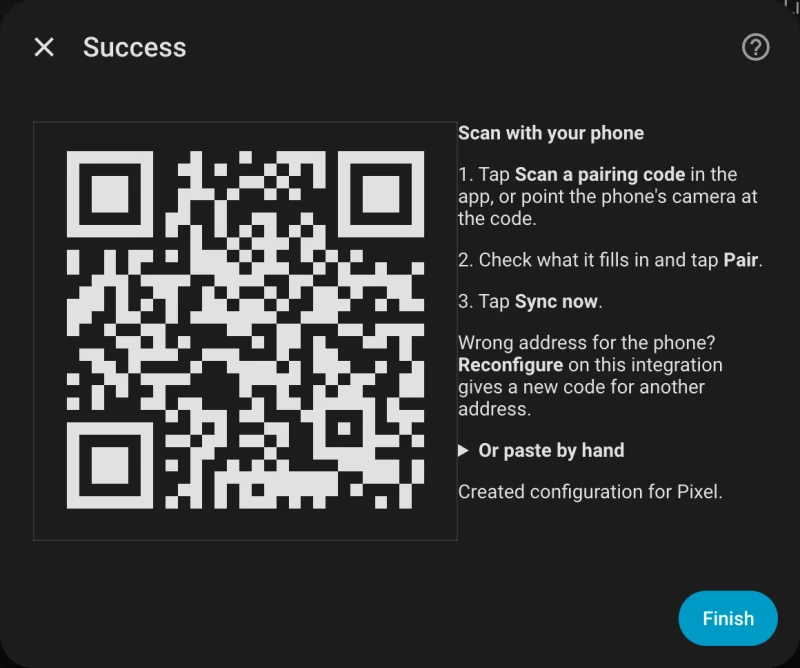
- Install Life Dashboard Companion on the iPhone, tap Scan a pairing code in its setup, scan the code and tap Pair.
- Switch on the types the watch records, listed below, and allow Apple Health access.
- Tap Sync Now, then Backfill with 30, 90 or 365 days for the past.
Apple Health in Home Assistant has every step in detail, with the address to use and the sync schedule.
What an Apple Watch records, and where it lands
Which of the app's 28 types fill up depends on your watch model, its settings and what you wear it for. This table lists what Apple's own documentation says a watch records, the payload key the app sends it under, and what Home Assistant makes of it.
| What the watch records | Payload key | In Home Assistant | Apple's documentation |
|---|---|---|---|
| Steps and distance | steps, distance | Today's total, and a day value in the statistics | Heart rate, calorimetry and activity |
| Active and resting energy | active_calories, total_calories | Today's total, and a day value in the statistics | Heart rate, calorimetry and activity |
| Heart rate | heart_rate | Latest value, and a mean, minimum and maximum per hour | Check your heart rate on Apple Watch |
| Resting heart rate | resting_heart_rate | Latest value, and per hour | Check your heart rate on Apple Watch |
| Heart rate variability (SDNN) | heart_rate_variability | Latest value, and per hour | Heart rate, calorimetry and activity |
| Sleep, with REM, Core and Deep stages and time awake | sleep | Last night's duration, and sleep minutes per day | Track your sleep on Apple Watch |
| Respiratory rate while you sleep | respiratory_rate | Latest value, and per hour | Track your vitals with Apple Watch |
| Blood oxygen, on models and in regions that have it | oxygen_saturation | Latest value, and per hour | How to use the Blood Oxygen app |
| Workouts from the Workout app | exercise | Last workout, and minutes today and yesterday | Start a workout on Apple Watch |
| Cardio fitness (VO2 max) | vo2_max | Latest value, and per hour | Track your cardio fitness levels |
- Steps, distance and calories come from Apple Health's own day totals, the way the Health app counts them, so a walk that both the iPhone and the watch recorded counts once. An iPhone without a watch usually records no resting energy, so total calories mostly come with a watch.
- Heart rate variability is SDNN, the measure Apple Health stores. An Android phone sends RMSSD under the same key; they're not the same number, so don't compare the two.
- Sleep needs sleep tracking on the watch and the watch on your wrist at night. The app sends Apple's Core stage as
light, and Deep, REM and awake under their own names, plus the iPhone'sin_bedtime around them. Home Assistant gets the night's duration; the stages go to a webhook or the stack, whose sleep views count only the watch's stages. - Blood oxygen is on Apple Watch Series 6 and later and every Ultra, but not in every country or region, and Apple's page describes how it works on some models sold in the US.
- VO2 max is estimated on Apple Watch Series 3 and later during an Outdoor Walk, Outdoor Run or Hiking workout in the Workout app, per Apple's page.
- Workouts arrive with their kind as a name, such as
runningorhiit, and Home Assistant shows the last one with its start, end and minutes.
What doesn't come along
- Wrist temperature. Apple Health stores the absolute temperature at night, not the change against a baseline that the shared payload carries, so the app leaves it out.
- Anything outside the app's 28 types stays in Apple Health.
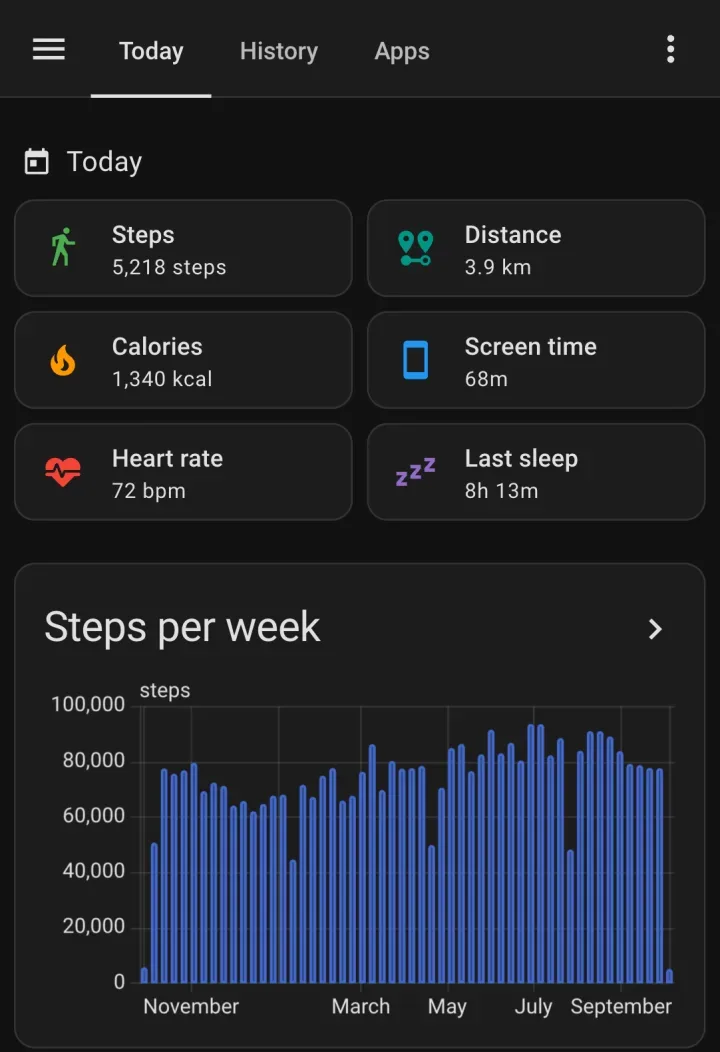
- Screen time: iOS doesn't let an app send it anywhere.
Other watches and rings on an iPhone
Garmin Connect, Oura, Withings and other apps can write into Apple Health on the iPhone too. What they write there arrives the same way, each record with the name of the app that wrote it, and steps, distance and calories still count once across all of them, in the order of the data sources you set in the Health app.
Limits
- Data reaches the iPhone when the watch syncs with it, which can be hours later. The app sends it at the next sync, on its own date.
- iOS encrypts Apple Health while the iPhone is locked, so a sync waits for the unlock. iOS also decides when the app runs in the background; for an exact time, a Shortcuts automation runs Sync Health Data.
- Sleep stages, workout details and every single heart rate reading go to a webhook or the stack in full. Home Assistant keeps the latest value and the statistics.
Your watch already writes to Apple Health. Add the integration from HACS and the app on your iPhone, and pair with one QR code.
Open in HACS Get the iPhone appCommon questions
Do I need an app on the Apple Watch?
No. The watch writes into Apple Health on the iPhone by itself, and Life Dashboard Companion on the iPhone reads it from there.
Why is my watch's data late in Home Assistant?
Two steps can wait: the watch syncs with the iPhone, and iOS decides when the app runs in the background. Open the app and tap Sync Now to send what's there now. Each value still lands on the time it describes.
Can I see sleep stages in Home Assistant?
Home Assistant gets last night's duration and sleep minutes per day. The stages arrive in the payload, so a webhook of your own or the Life Dashboard stack has deep, light, REM and awake per night.
Why is there no blood oxygen sensor?
Blood oxygen isn't on every model or in every region, as Apple's page explains. When the watch records none, Apple Health has none to send. Also check that Oxygen Saturation is switched on in the app and allowed in Apple Health.
Does a Garmin or Oura on an iPhone work too?
Yes, for what its app writes into Apple Health. Each record carries the name of the app that wrote it.